Drupal, Joomla !, WordPress, are without a doubt the 3 most popular CMS these days, and each one has its purpose or area of specialty, for example ... WordPress is the undisputed leader for informational sites, blogs, while for something more complex such as a online store, I would prefer Drupal or Joomla !.
But not everything ends here ... there are many other CMS with their own characteristics that we do not know, and here I will talk about FlatPress : )
FlatPress is without a doubt the fastest CMS that I have never found, by this I mean that opening pages, articles, the administration panel or any work is extremely Quick. What is this about?
Simple, a CMS gets heavy for two things:
- All the PHP processing (which is the most common) that it would generate on the server.
- The need for a MySQL database (which is the most common), its connection to it to enter or search data, etc.
What if I told you that FlatPress is almost immune to this? 😀
To begin with, it is something soo simple and simple that it makes it great, because the PHP processing it generates is minimal, tiny 🙂 ... if we add to that that it does NOT use any database (neither MySQL, nor Postgre, etc) ... well, seriously it's VERY but very fast O_O
But it is not only fast, it is also easy to use, like all CMS nowadays you can put themes to make the site or blog more pleasant to look at, even some of these themes modify the appearance of the administration panel 😀
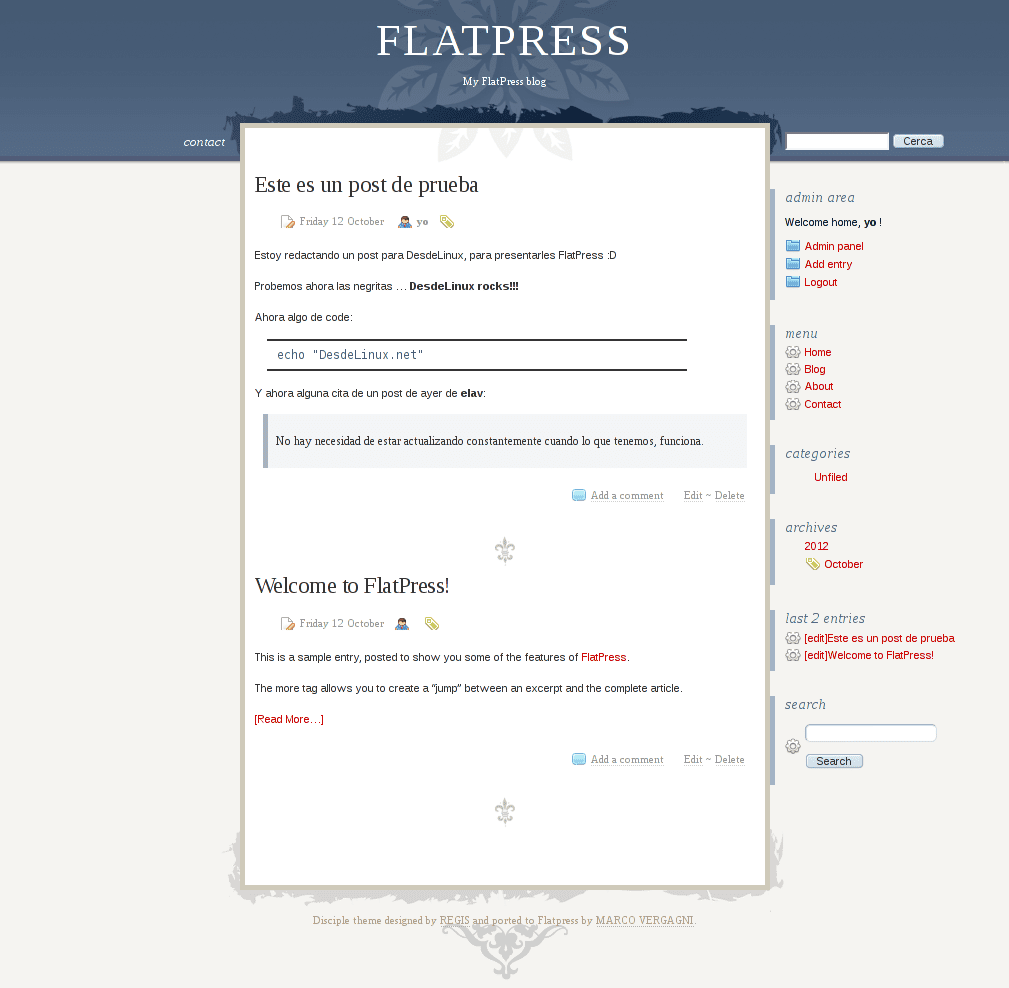

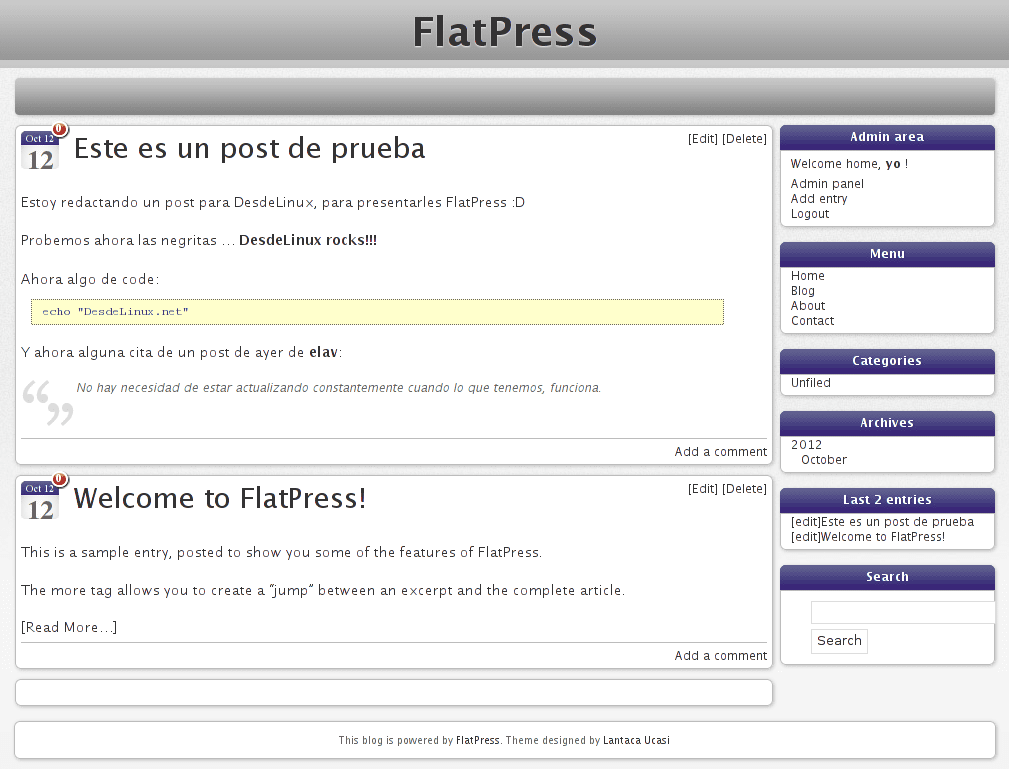

And obviously ... they can also put plugins on it 🙂
You can see an online demo of FlatPress here:
If you want to install FlatPress it is very simple, for example ... if you want to do it on your own computer, you must first install the packages:
apache2 libapache2-mod-php5 php5
Once these packages are installed, our Apache server should already be started.
Now let's put the following command in a terminal:
sudo mv /var/www/ /var/www-default && mkdir ~/www/ && sudo ln -s ~/www/ /var/www/
This will create a folder in our home called "www", and what we put for that folder will be what is shown to us when we open http://localhost/
If it doesn't work for you, restart the Apache service, on distros like Debian or derivatives is (I think that in Centos y Fedora it works the same):
sudo service apache2 restart
En ArchLinux is
sudo /etc/rc.d/apache2 restart
Well, now we have to download FlatPress:
Once downloaded, we unzip that file in the www folder that is in our home, and we access http://localhost/flatpress/ to start with the installation 😀
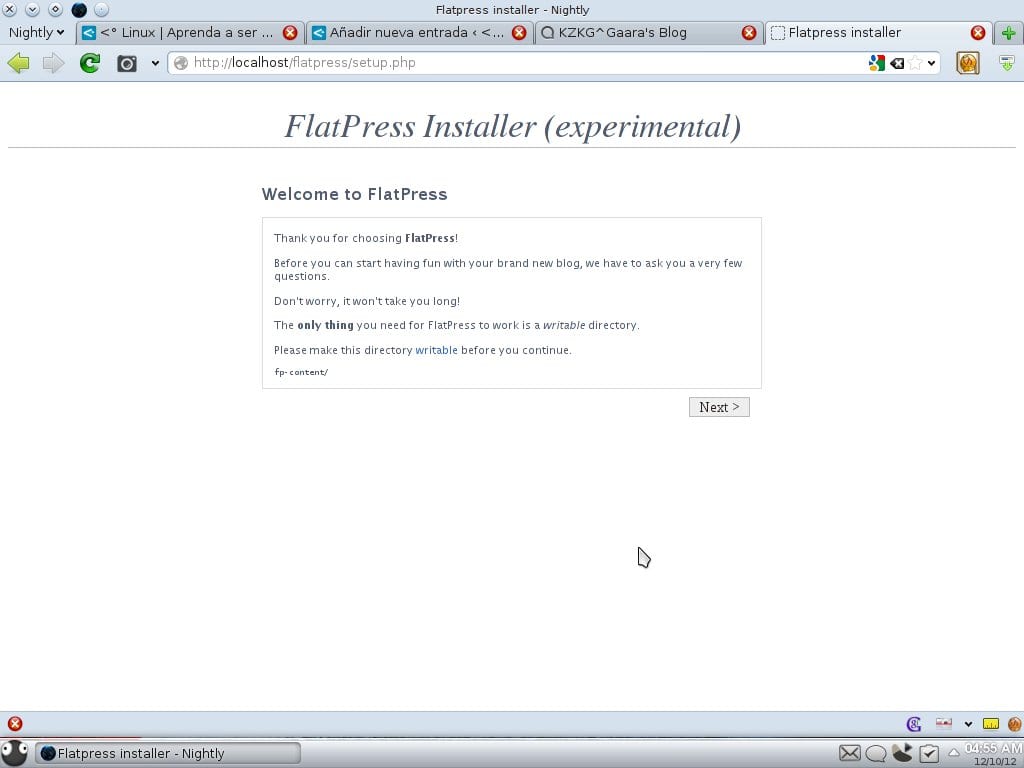
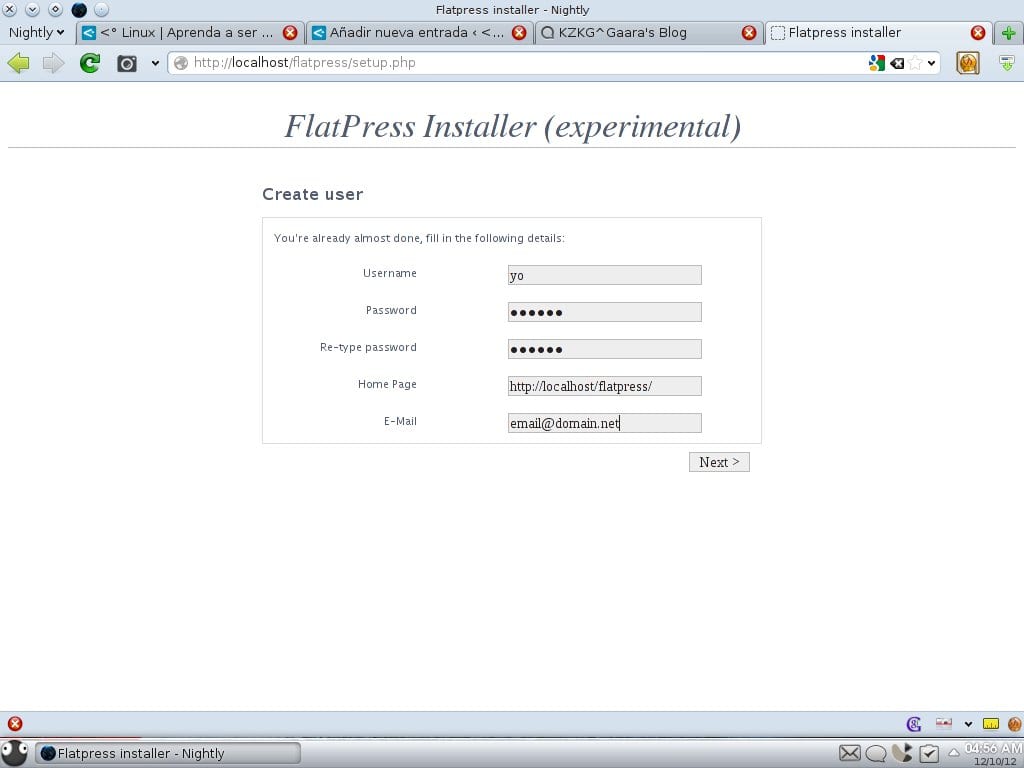
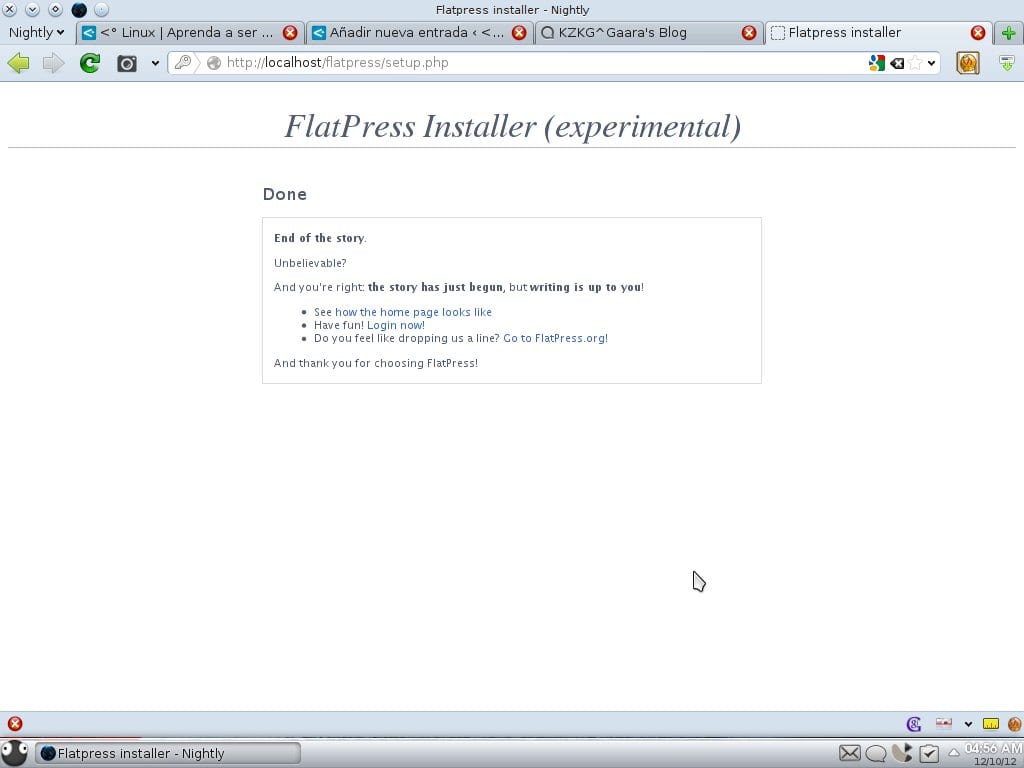
… and that's it!!!
What, amazed? … Did you expect something more complex? 😀
Once this is done, they can access the site (same URL as before) and it will be shown as it comes by default:
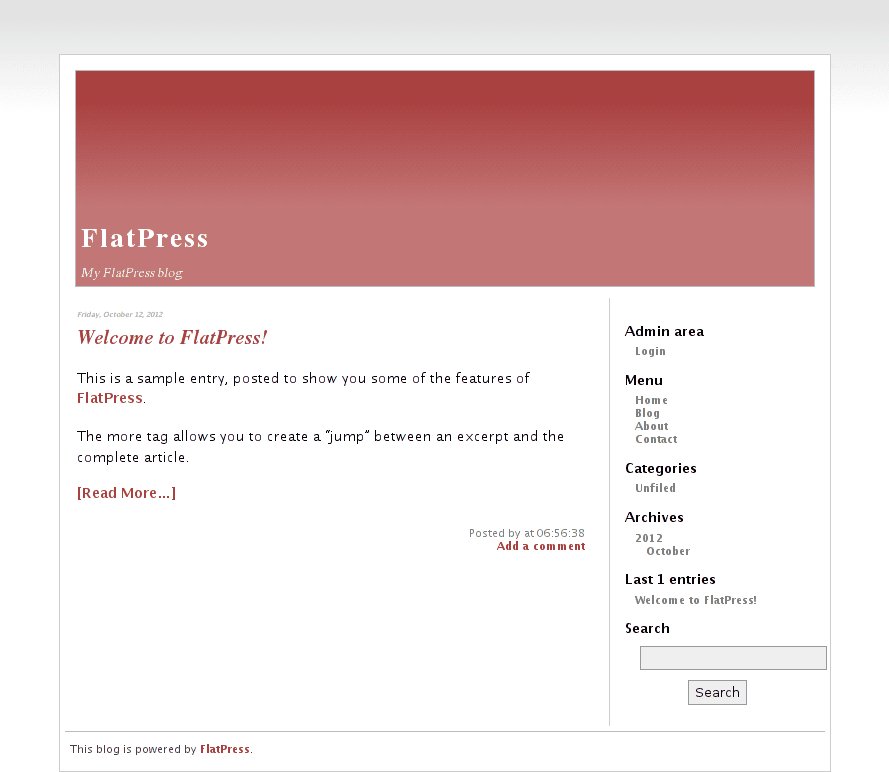
Using the button Login on the right bar can access the Administration Panel (AdminArea):
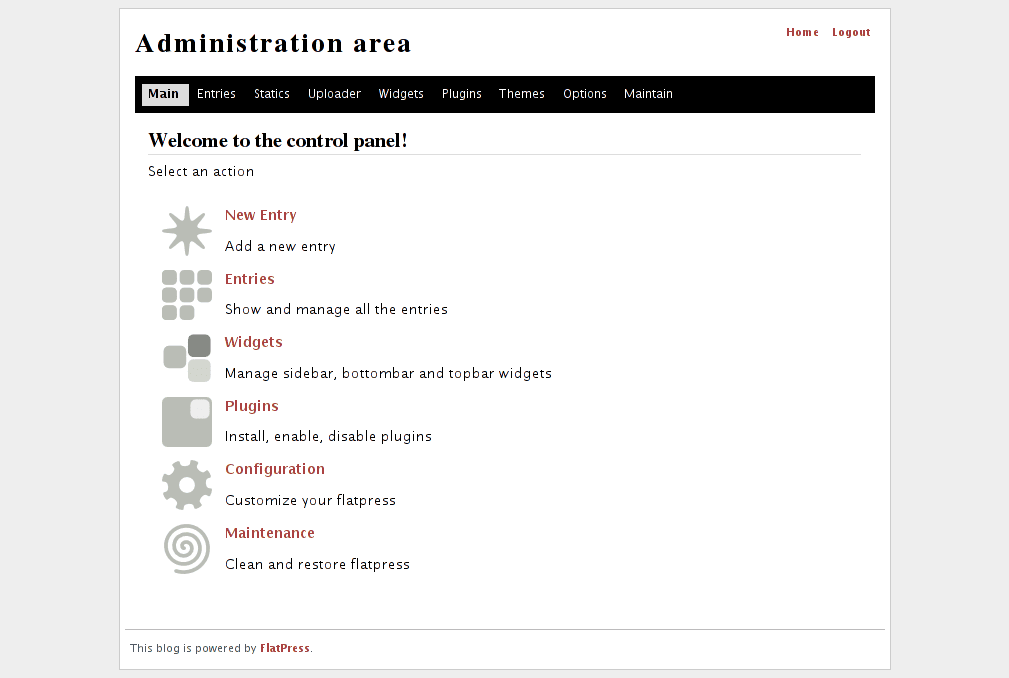
Through the options of this you can modify many things ... for example, as we saw above, to put another more pleasant theme 😉 ...
First we search the FlatPress Wiki for the theme we want: [Wiki] FlatPress Themes
After we download it, we copy it to ~ / www / flatpress / fp-interface / themes / And voila, we can select it by the Themes button of the AdminArea, that button that is in the black bar.
And you can also put plugins: [Wiki] FlatPress Plugins
This, as you can see, is something really simple and simple ... but many times that is exactly what we are looking for 🙂
There are times when we do not want to make a blog or site as big as itself. DesdeLinux, there are times when we just want to make personal notes, or save code, or write school assignments or something like that... well, for cases like these (and others) FlatPress is an excellent option 😀
I met this one thanks to elav, and I have already been curious to know other CMS that are light ... perseus he told me about octopress, I have to seriously see how lightweight it is, and its installation (and packages it needs) how complex it is hehe.
Anyway, I don't think there is much more to add. Let me know any problem or doubt, I will try to help you as much as I can.
regards
I just tried it and it's not bad ^^
It also has a good amount of plugins and themes
Look, you who are a big fan of Python… there is one that is the same, without using DB but Python instead of PHP - » http://nikola.ralsina.com.ar/
In fact there are many, just by looking for static site generator in bitbucket, github, etc. Even I am programming one, although it lacks to be usable https://bitbucket.org/alquimista/skyfish.
Well yes, it will be very simple and fast, but remember that the more simple, the less power. I would only use this for very simple sites, like a tumblelog or a photo blog, maybe even my personal blog if I don't plan to do much with it, in order to save myself maintaining a more powerful CMS. For everything else, definitely WordPress. 😉
Smug. 😛
Yes, conceited 😛
HAHAHA, everything you say is true, even the presumptuous thing hahaha… I personally use it for a miniblog that serves as a draft for DesdeLinux.
There are the static site generators, like Hakyll. With a few adjustments it becomes a nice personal blog, and how it generates it with markdown and others; it is easy to write.
However, I have not been able to get it to work on ArchLinux in any way. I even contacted the main author and everything, I hope they have the solution there.
I do not know what you mean simply, but Octorpress (made in ruby and sinatra) is exaggeratedly simple, just not to use ... not for something is cms for "hackers" xD
these days I have tried GetSimpleCMS and I think it gives 10 kicks to FlatPress xD
My mother, it's great .. Right now I'm trying it 😀
I have been using it for a long time for my personal blog, with the typical notes so as not to forget about this world, and without any problem
It is very pleasant at first impression, I just installed it on a very old machine (I have it for testing) and it runs very well, fast.
Thanks for the input
Thanks to you for the comment 😀
KZKG ^ Gaara:
"WordPress is the undisputed leader for informational sites, blogs, while for something more complex like an online store, I would prefer Drupal or Joomla !."
WordPress gives much more, I have seen virtual stores and Intranets (yes, like those of universities) in WordPress.
Hi, let's see if someone gives me a cable, I can't get it up and running, install apache and the libraries, but when I restart it I get "Restarting web server: apache2Warning: DocumentRoot [/ var / www] does not exist
… Waiting Warning: DocumentRoot [/ var / www] does not exist »
In / var I have the www-default folder and within it the www folder, when I create the link to my Home, it drops "mv: cannot perform` stat 'on "/ var / www /": The file does not exist or the directory »
So since I don't have Apache started, it doesn't let me see the Flatpress installation, by the way, I'm on Solusos Eveline, just installed ...
1s and I hope I can run it as I need it.
Try putting in the console:
$ sudo mv /var/www-default/www /var/elav does not work, it moves the directory (www) to / var, but when I try to create the link to Home it disappears and returns within www-default O_O, therefore everything remains the same ...
sudo mv / var / www / / var / www-default && mkdir ~ / www / && sudo ln -s ~ / www / / var / www / >>>>>> throw this at me
ln: target «/ var / www /» is not a directory: The file or directory does not exist
I do not know…
my finger went off 😀
when I try to create the link to Home it is moved back to www-data
I must have something wrong in the sentence right?
sudo mv / var / www / / var / www-default && mkdir ~ / www / && sudo ln -s ~ / www / / var / www /
Well, I you do not complicate. I delete the www-default and www folder from the hard drive, and then create it again under / var / www /. What this folder should have is root permissions: www-data if I'm not mistaken ...
I've already done it (/ var / www), but it only works for me from / var / www, what would be the link for my / home then?
To make the link to your home, you have to delete the / var / www / folder and then make the symbolic link, from the / home / www folder to / var /
I already did, thank you man, I did not think that so easy could be a pain of h ... xD
sudo ln -s ~ / www / flatpress / var / www
1s
Well, I've been trying to install it for a while but it doesn't want to go through the first step, it tells me that I have to make the fp-content folder writable. The thing is that the whole flatpress folder has read / write permissions on / var / www and it is breaking my eggs not getting the solution.
I already did the server reset, I already have the packages installed, I already have everything, but ... it keeps screwing me xD
mmm I get some errors in windows
mmm now I have tried it in an older version of xampp and it runs perfectly 😀
XAMPP for Windows Version 1.6.7!
I am surprised that being a lightweight CMS -and therefore the economy of resources of our server- nobody has mentioned using nginx instead of apache 😎
He's handsome, I'll try it out, by the way which is the official page, the opensourcecms one?
There is a very active project to create forums and blogs of the same nature
http://www.blitzhive.com/download/
Around here there is one quite interesting, visual and all http://goo.gl/yC31oi
I installed it in a contracted virtual machine with minimal resources, and the machine was almost not impacted by the Ubuntu server 16, with 20 GB of disk and 1 GB of RAM, and it was using 15% of the RAM