

Invidious is an alternative front-end to YouTube. Invidious does not use the official YouTube API; instead, it analyzes the source code of the YouTube site to obtain the necessary information (such as projects like youtube-dl and NewPipe).
It processes most user requests through the server on which it is installed, which positively impacts users. The project's code is written in the Crystal programming language, uses the PostgreSQL DBMS, and is distributed under the AGPLv3+ license.
Invidious, in fact, is analogous to the quite popular earlier web service HookTube , whose author, in July of last year (a week after Invidious was announced), received a warning letter from Google about his violation of the YouTube API terms of use and was forced to stop "normal" work of his service.
The main purpose of HookTube was to send user requests to Google's servers (YouTube), which, although it improved the privacy of users and also allowed them to view and download videos (including those with geo-restrictions, for example).
Invidious currently operates on a monthly release cycle and is intended to provide administrators of their own Invidious instances with more or less relevant and stable source code improvements.
Invidious Features
invidious It allows users to watch YouTube videos without advertising and without Google tracking.
At this point, the Invidious API uses the FreeTube app, MusicPiped music player, and the CloudTube website.
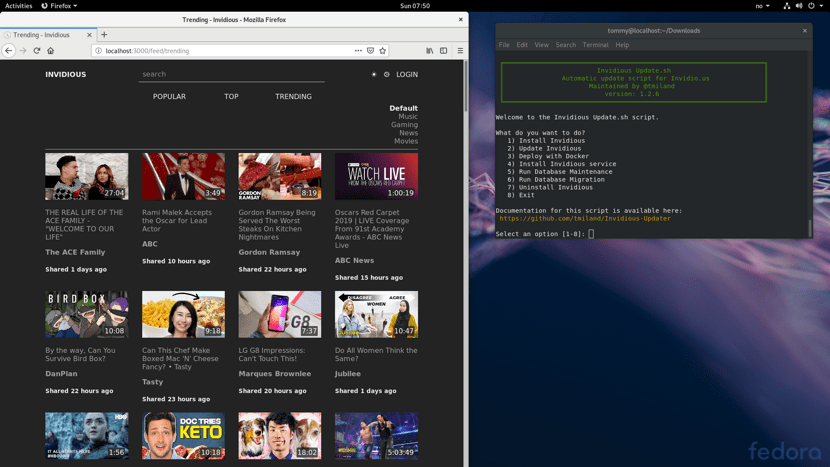
On the other hand, it also features the ability to import/export subscriptions in Invidious (including NewPipe format), browsing history, and settings. RSS support is also included for YouTube feeds and custom feeds.
As well as the ability to manage subscriptions, to show only unvisited videos and the most recent videos, delivery of notifications about new videos, import of subscriptions from YouTube.
Another pretty cool feature of Invidious is the ability to embed Invidious videos on other sites' pages. Both directly and from YouTube (using a script).
It's also worth noting that Invidious provides its own API for developers. Other notable features of this front-end include:
- Audio only mode (no need to keep window open on mobile)
- Free software (AGPLv3 license)
- In Invidious there are no ads or user tracking
- No need to create a Google account to save subscriptions
- Lightweight (homepage is ~ 4KB compressed)
- Dark mode
- Integrated stand
- Set the default player options (speed, quality, autoplay, loop).
- The ability to view the video without including JavaScript
- Support for Reddit comments instead of YT comments
- Doesn't use any of YouTube's official APIs
- Bypass blocking in case the video is not available for the user's country
- Developer API
For those interested in trying Invidious, you should know that you can visit the website where the service is hosted; the link is this.
Or they can download the code from the front-end and mount it personally on a server.
How to install Invidious?
For those interested in mounting this front-end on a server or on their system on their personal computer.
But before it is necessary to have some dependencies necessary for the operation of Invidious, so we have to install them first.
If you are a user of Arch Linux, Manjaro, Antergos or any other Arch Linux derivative, you should open a terminal and type the following:
sudo pacman -S shards crystal imagemagick librsvg postgresql
In the case of those who are users of Debian, Ubuntu or any derivative of these, we will type the following:
curl -sSL https://dist.crystal-lang.org/apt/setup.sh | sudo bash

curl -sL "https://keybase.io/crystal/pgp_keys.asc" | sudo apt-key add -

echo "deb https://dist.crystal-lang.org/apt crystal main" | sudo tee /etc/apt/sources.list.d/crystal.list

sudo apt-get update

sudo apt install crystal libssl-dev libxml2-dev libyaml-dev libgmp-dev libreadline-dev librsvg2-dev postgresql imagemagick libsqlite3-dev
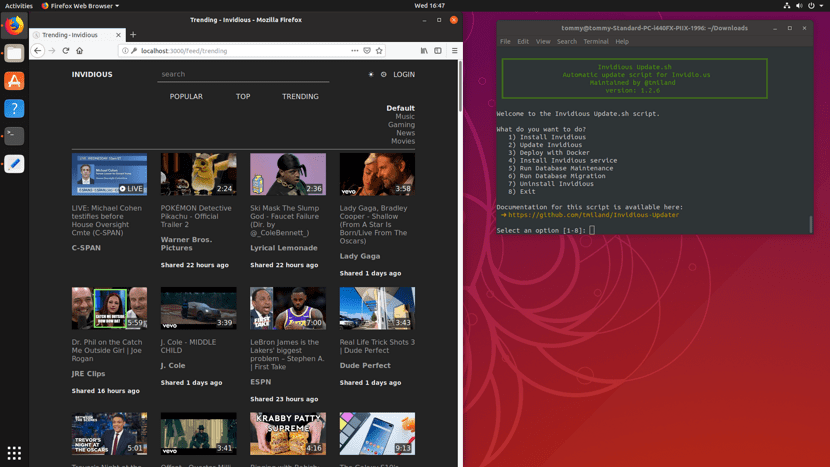
Done this now we are going to download the Invidious installer script:
wget https://github.com/tmiland/Invidious-Updater/raw/master/invidious_update.sh

sudo chmod +x invidious_update.sh

sudo ./invidious_update.sh
Table of Contents