
Until a few moments ago I used Faenza as an icon pack, but as we said here once ... not everything is Faenza 😀
That's why I show you this icon pack, it's called MaK-Lion Taste and ... I'm already using it as you see, I have changed my lasting relationship with Faenza by MaK-Lion Taste haha!!!

The author is erosenninrho and really THANK YOU for this work.
It is worth noting that he is not the author of these icons as such, that is, as indicated in your contribution in Kde-Look, his main reference for making these icons came from Faenza or Faience, the icons for Lion. And share several important notes / notes in the post:
- He is not an icon designer.
- If you don't like the icons, don't use them. But don't start bothering with the always controversial "Mac VS KDE" topic.
- Added lots of alternatives for «start-here«, Which has been the icon of the start menu (not the Windows LOL !!!) of the panel, icon for if you use Arch, OpenSuse, etc.
- Modified a lot of icons, especially their color. He didn't design any of them, he just customized them and shared the work he did.
So you know ... especially Courage, if they don't like it, if they think it's "not original" (and I secretly fix my gaze on our beloved troll ...) you know, don't use them 😀
I share more screenshots:

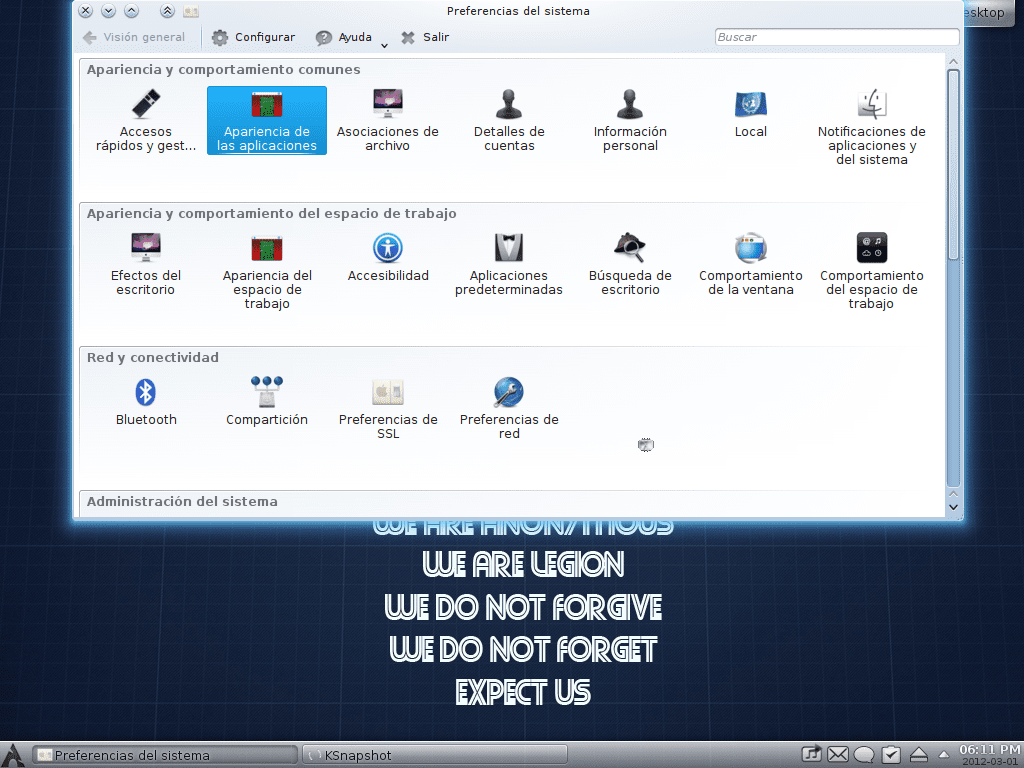
- Download the icon pack: Download MaK-Lion Icons.
- Unzip the file (Mak-LionTaste.tar.gz) in the folder .kde4 / share / icons / located in our personal folder (home).
This above said in a single line ... is to open a terminal, in it we write the following and press [enter]:
cd $HOME && wget http://dl.dropbox.com/u/491767/posts/Mak-LionTaste.tar.gz && cd $HOME/.kde4/share/icons/ && tar -xzvf Mak-LionTaste.tar.gz
If you can't find this folder (.kde4), try .kde (that is, without the 4) 😉
Once this is done, they must activate these icons, for that we go to the System preferences, we click on Appearance of applications, eyelash Icons, and there we select «MaK - Lion Taste«:
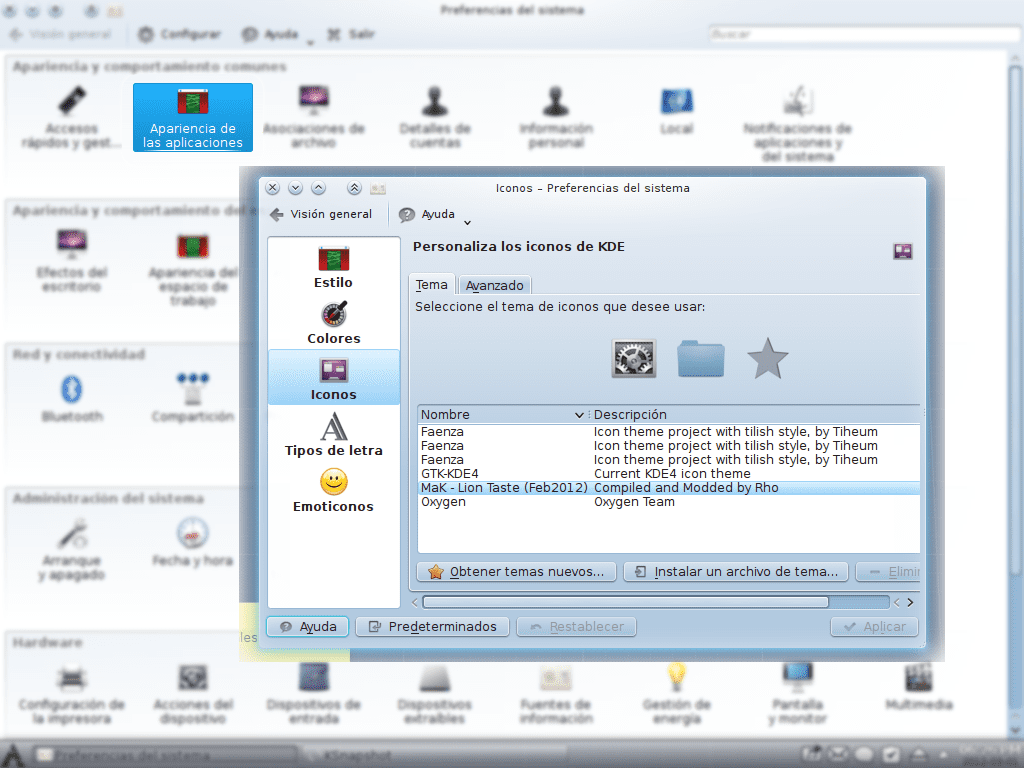
How do they see it? 😀
At least I loved it, renewing my KDE once in a while it's not bad, I haven't done it for a long time ... I feel like my KDE it was completely new LOL !!!
If you liked the icons, please vote positive (+) on the KDE-Look post, leave a comment thanking it, it costs nothing and motivates a lot to keep working. Ah, they can write in Spanish 😀
regards
Yes, giving a change to KDE is good not to get bored ... although I don't know if my hatred against Apple allows me to use them haha. Although it must be recognized that the OSX icons are very aesthetic.
I don't know if my hatred against Apple allows me to use them
Haha and you are using Safari.
ahhh the labels didn't work for me.
It is not Safari man, as far as I know there is no Safari on Android, it is the default Android browser but the server should not recognize it (and I do not configure the user agent at all).
But yes, I use Apple products ... two iPods that I have bought and both work extremely badly, they don't charge sometimes, when I put them to charge they sometimes crash and I have to reset them (in Windows it has happened to me too). It's not for fanboy, it's that from my personal experience Apple is garbage.
You don't necessarily have to be Safari, just using a browser that uses WebKit leaves the apple 😀
I love them ... they really are very cool. How do I install them in GNOME?
Lee old, is saying that KDE, so for Gnome they are not worth it.
I'm going to think that the years are taking their toll on you and that is why you haven't read.
Well you were wrong baby, I downloaded the file, unzipped the folder and installed it in toledo / .icons and they work perfectly fine… I'm going to think… no, no! I am THINKING that your immaturity is taking its toll on you and you write just to write something without knowing!
Ains! … What the desire for prominence does. : S
I'm not immature, those my age are sooo worse than me, what happens is that you are a joker hahahaha
Well, this "carcamal" made something work that you said it wouldn't ... how do you see it baby?
😛
Well, that's not going to make you less old hahahaha
HAHAHAHAHAHA Courage… you've screwed up hahaha !!!!! so that you are not smart 😉
Let's see if you think that because you feel like it I'm not going to call your old friend hahaha. We already know what happens ♥♥♥♥ Right Sandy?
Hello Tina,
I mention that the iconset could work in gnome, since the folder / file structure is compatible with that of KDE… however, the theme is designed for KDE, so there may be problems in GNOME.
I think, however, that if you install it on GNOME2, it should work "almost" like a charm. In GNOME3 the truth is that I don't think it's going very well ... and in Unity ... pf, I still can't change the icons as God intended ... (although I don't know, since it came out I moved to KDE4).
So, in short, try them! You may be lucky and they work for you. 🙂
Thanks a thousand rho!
In fact, as I already told the baby - in the full extent of the word - Courage I already installed them. I just unzipped the folder and installed it in toledo / .icons and it works perfectly fine. What's more, it seems to be more complicated in KDE since I didn't even use the terminal to implement them; by opening the configuration panel Cinnamon and go to «Topics» I was able to select that icon kit.
… Piece of cake.
HAHAHAHA come on, that in KDE is not complicated at all ... I left the steps there, it was to download the file and unzip it, as in Gnome, which also left those same steps in a single command line 😀
Ah! Well then it is exactly the same ... the truth is that they worked very well for me.
You see 😀
So the criticisms with KDE… the justitas ¬_¬… LOL !!! 😀 😀 😀
Yes they stayed, look: http://i232.photobucket.com/albums/ee1/daytrippergirl/Pantallazodel2012-03-02203032.png
Great that you are already using them in Gnome, I had not answered you because I had not yet arrived here at the office 🙂
Greetings Tina.
Thanks guys for the good vibes !!!!! I'm really glad you liked the icons 🙂… as I said in the post, I'm working on other releases, so let's see what happens !!!!
A hug,
Rho (yes, erosennin. Ha)
HAHAHA nothing friend, a real pleasure, the icons are great 🙂
Icons are missing for some applications, but it is normal because it is still a young pack haha, I would appreciate a lot if when you do an update you leave it to us here, so we can make a new post showing the news and more 😀
regards
They're pretty good, maybe I'll try them. Anyway, I've had a good season with the KAwOken, somewhat tuned:
https://sites.google.com/site/rsvnna/baul/instant%C3%A1nea80.png?attredirects=0
Typical argument of an ubunto, and yes, they are still not original
Damn you don't read right? … LOL!!! If you don't like it, don't use them, but don't walk around touching the balls 😉
Your ubiquitous phrase fucks me.
Damn you don't read right?
you seem to know a lot ... right now i'm using kubuntu and i come from gentoo. I would like you to tell me how shit I install the only thing I like about Kubuntu, Upstart, in Gentoo ¬¬
I think there is a conceptual error. Microsoft leads the market, that is nothing new, although the new features of the system are, as we all know, not very remarkable ...
Regarding the icons, like anything you don't like, in any aspect, you simply have to have the freedom to choose. If you like it, fine, and if not, IMPROVE IT! with complaining and complaining we are not going anywhere.
The Mak-Taste icons are a contribution that, to my liking, improve the aesthetics of my Linux. If you don't like them, don't use them.
Now, to think that something is "the same" when I do not see concrete contributions ... I must say that "DOING NOTHING IS THE SAME", doing something, even if it is a banality, changes things ... and if everything goes well, change the things for the better.
... when you make an iconset more "original" than the one I did, then criticize ... but simply limit yourself to looking at how things happen ... from the outside.
Regards,
"The one who compiled the iconset" =rho=erosenninrho=tyson.wolf@face
ps: when you make your radical innovation that changes the future, Courage, send me an email.
ps2: it's cool, we would say the Argentines, heh.
What has screwed me about Sandy has been the argument, each one who uses what he wants. I don't like to put aesthetic components from another OS and that's why I don't.
*each
JAJAJAJAJA GREAT your comment LOL !!!!
For Courage do not worry, it is our beloved troll of the site, for him simply using a dock is "not very original" ... so you see haha.
HAHAHA very good hahaha really.
I love soap operas that live here hahahaha xD
HA HA HA HA HA HA!!!!!!
Well, if you have fun we already achieved what we wanted then, have a good time here 🙂
regards
Is there a new version of the icons?
Yup 😀
Look here: http://kde-look.org/content/show.php?content=149051
There you have the changelog (list of latest changes) and download link and everything 😀
Thank you very much
I just want to see my icons in the comments hehehehe
Friend, what theme do you use? .. is very good !! Could you tell me what his name is or who did it? thanks in advance!
Hello
You can see the components I use to put my desktop like this in this post: https://blog.desdelinux.net/mi-escritorio-de-junio-debian-testing-kde/
There I detail what they are, and links to articles that explain how to install them.
regards
Gaara, u. did you host these icons? http://kde-look.org/content/show.php?content=149051
All downloads seem to be failing 🙁
Hi how are you
Yesp ... when we made the server change they stopped working, I was waiting for the author of the icons to contact me, to give him the new data, but still nothing. His downloads are here: http://ftp.desdelinux.net/mak-lion-icons/
Thanks for answering 🙂
Nothing friend, a pleasure 🙂
EXCELLENT PACK 😛
Today to pass the time I started to put together a "hackintosh" with my pc, as it is AMD I had to try with Snow Leopard well in the end I managed to start it, configure the video card (but I am left without 3D) I have no audio and the The only thing I wanted to use it for was because of iDVD, which I find the program very nice ... in the end I got bored, although I must admit that I liked the icons so I go back to my KDE and put the icons on a wallpaper and that's it ... I will find one DVD editor that works for me, another day I continue polishing the hackintosh
Elav, the dropbox url of this link gives an error, could you please place the new one or modify it?