
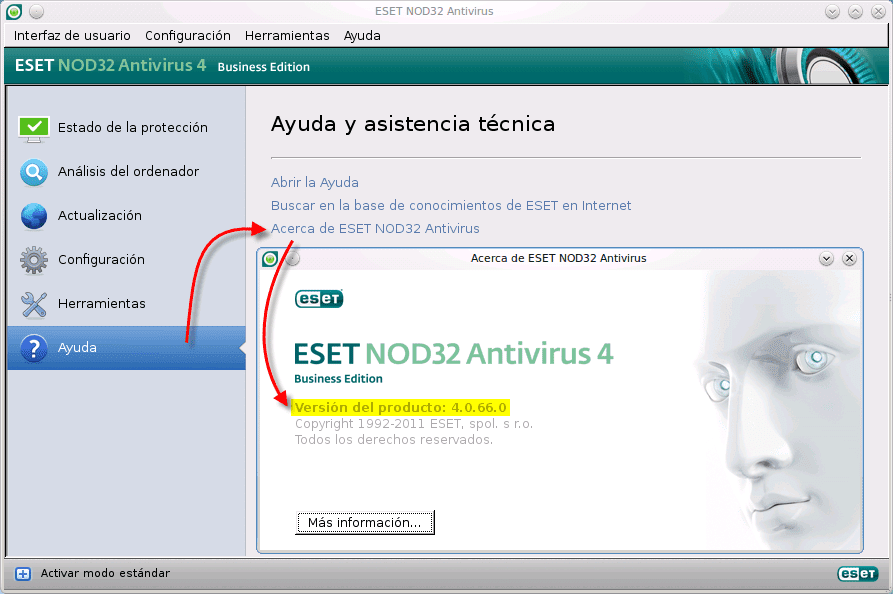
I have seen few cases, but some users have had problems installing ESET NOD 32 in some versions of Ubuntu 11.04 onwards.
The common mistake it gives is "Please install the following files or packages: /usr/lib/gconv/UTF-16.so"
To solve this "problem" you have to create a link from the directory "/ Usr / lib / gconv" pointing to "/Usr/lib/gconv/UTF-16.so" since in the latest version of Ubuntu does not exist. We go to the terminal and put:
$ sudo mkdir /usr/lib/gconv

$ sudo ln -s `sudo find / | grep UTF-16.so` /usr/lib/gconv/UTF-16.so
Well I hope it helps you and remember that it is better to be forewarned than later regret!
Greetings to all, it is my first Post, I hope you authorize it 😉 hahaha.
But how ignorant I am! I just found out that there is a version of Nod32 for Linux.
In short, something new is always known.
regards
In desktop Linux systems, an antivirus (that works as in Windows) should be supplied with the correct use of the system.
I know it's good that there are options, but the truth is that I went from using a proprietary application that has control over everything that I do and that happens in my system constantly.
At the risk of being ignorant: supposedly in GNU / Linux it is very difficult to be infected by malware, right? Why is such a product needed then?
Partner, I did not know you from Troll xDDD .. Let's see, the fact that GNU / Linux has less chance of being infected by Malware, does not mean that it is exempt from them ... What is bad about extra security?
In addition, there are the blessed pendrives that we carry from machine to machine, and if it turns out that you downloaded an .exe out there and sent it to a Windows machine, you run the risk of infecting it.
regards
while only windows are infected with .exe no problem
You have to be more careful especially when you download a file and put ".exe" and you know it has another extension I think, and when that happens to me I say: "virus virus !!!"
Exactly friend, and what to know also the MPs that serve as a malware repository or drive malware for attacks. Additionally, malware increases every day in Linux.
regards
Lol That's why I started with: "at the risk of being ignorant." In this same blog I read a very interesting article about how the file system, virtual memory, etc. works in GNU / Linux / Unix / whatever and how this made the proliferation of malicious code almost impossible, that's why I was amazed So much, I think I am allowed, right? 😉
It is not extra security, you are putting a proprietary application ... you basically don't know what you are putting
Basically that is something that a normal user is not interested in. That is, to me, to you, maybe if we would be concerned about those things (that's why I don't use Nod32, or NeroLinux, or anything similar) ..
xD good, but we are not talking about what "normal users" are interested in, we are talking about security
It is that normal user and security are not very so let's say xDDD
Hahahaha, antivirus for Unix-like, hahahahahahahahaha.
Whats Next!!?
Antivirus for Linux? Hummmm that's kind of contradictory ... A machine can be infected of course, it all depends on the sites you visit; But if we trust our distro and avoid browsing those pages, I don't think it's necessary, at least when I have to use it for those programs that I still don't find an alternative in W $, it has never happened to infect it and also by e-mail, I only receive acquaintances and attachments I always take my precautions. But hey ... there is everything as in a pharmacy.
Sometimes I miss feeling the antivirus working in the background. I still remember how they changed my home page or added strange bars in the browser. The Spybot found me everything but I never caught anything serious, what happy times.
Hahahaha, I understand what you say .. we should call it Windowsitis hahaha
Almost 4 years in Linux and not a single malware in sight, yes I already installed the antivirus, of course.
Although it helped me to find out that there is a Nod (I prefer Avast) for Linux.
The fact that Linux is immune to the 'usual' viruses is true. And it is also true that, just as they do not affect it, it does not take care of canceling them either. Which is a problem, as you say, if you send an email to another person, or if you have, on your own computer, a windows (in dual boot), and you are moving files from one partition to another. The answer is simple: let Windows take care of it, which is your problem. What happens is that sometimes you have the problem yourself (it happened to me once, and since then I removed Windows)
And a question: now that it seems that a number of 'commercial' antivirus programs want to get into Linux ... will they work as 'residents'? It seems to me that, due to the design of Linux rings, they should not be able to work like this and, to use an antivirus 'on demand' ... we already have the clamav, right?
Linux is practically immune to common viruses and strangers. What it is not immune to, is Malwares, because they are a wide fauna of bugs with different purposes and viruses are only a small part of them:
If we give permission to an infected executable or whose source code has been compiled into an innocent program, then the Trojan it will work great as a back door.
If we carelessly use software such as Adobe Flash, Java, etc., even if we do not have much risk of catching viruses, we will highly expose our machines to receiving an attack from a virus. worm.
If we do not update our browser, or even having it updated and we put dubious sites we could fall victim to a exploit that uses an unknown vulnerability.
If we carelessly install add-ons to our browsers, even if they do not have elevated privileges, they can work safely as spyware, even more so if we give them permission to update automatically.
If we do not correctly configure the servers or remote services we will receive unwanted requests and brute force attacks several times already automated by scripts to facilitate the capture of machines and join them to a botnet.
If an intruder sneaks into the system and leaves us his gift, the rootkit it will act as a hidden process, corrupting the system, camouflaging other services and serving the visitor normally whenever they want as if they were a valid user.
A couple of times I have tried to install Avast! for linux, but it never works - it gives me error message.
It is worrying to read some of your comments when referring to or ignoring being protected on different platforms, the important thing here is to know that the risk that there is malware in linux uuuuuu God too many, multiplatform malicious code …… Not to mention, Adobe vulnerabilities, java …… ………. is it on linux ???? Of course!!! imagine how it continues to grow then, now, I'm still worried …… Of course !!!
It is not to be pessimistic, but one day we will fall like OS X, not because of the system or because an update does not really arrive, but because of how carefree the users are and how little informed they are regarding evolution and sophistication of malware. Something tells me they're going to catch us asleep.
Indeed friend, many do not know the current risk. I would recommend, if the information stored on X device is valuable to the person, what should be protected. (the term protection does not only apply to AV)
regards
I think that ClamAV is more than enough (along with common sense), especially to protect our Windows friends.
Oh my god ...
: Facepalm:
Let's see, what are you frightening me? Does this antivirus protect you at the moment or is it just to analyze? The only precaution I take is to analyze from time to time with CLAM and the truth is that nothing has ever come out or I have had no virus problem. But I believed that for Linux there was no antivirus to protect at the time.
Friend, you mean an antivirus with real-time protection, and the answer to your question is yes. ESET for GNU / Linux does offer real-time protection, ClamAV does not offer it, but you can make scripts that "emulate" it, that's what I do, and I also have scripts to update the DB every hour.
In Windows if you can use ClamAV with real-time protection by installing ClamWin + ClamSentinel:
http://es.clamwin.com/
http://clamsentinel.sourceforge.net/
Also for those who want to use ESET on GNU / Linux (I don't) they should do it http://tienda.eset.es/ It is incredible how ESET has been interested in this OS and there are Desktop, Business and Server versions.
A greeting!
I understand that both this antivirus and a version of avast, the virus base is from windows and this protection gives linux the only one would be to clean USB memories or USB disk but for that it is clam?
Well, commercial antivirus for Linux have been around for a while now; The day that a virus (malware) produces a massive infection similar to the ones that occur in Winchot, we will find out, don't worry, there will be a lot of noise. These antivirus are useful to protect Bill's system nothing more. We will have to see what the arrival of Steam brings, we will see.
Is there any real antivirus? I mean some free or open source available for Gnu / linux?
Open source you have ClamAV but is there a real virus for GNU / Linux?
ClamAV
Good night. I have been a Linux user for a couple of years, and although it is true that the changes to the desktop manager have me up to the nose, the truth is that I am delighted.
For those of you who are very concerned about viruses and use Firefox, tell them that you have an add-on called "Fireclam", and that, if you have clamav installed, it analyzes everything you download (at least with direct download).
Regarding malware, I think I remember an article by a Debian developer who, when asked about a possible application that could protect against Trojans in real time, answered something like that was something that was not out of the minds of the Debian developers (Google translation).
PS Congratulations on the page and… Congratulations KZKG ^ Gaara !!!
Just like I use GNU / Linux _not use_ antivirus. : facepalm:
The issue here is security, that is why it is very important to have a security solution on your computers, malware in Linux is growing more and more, if you do not see the complex rootkit that came out for Linux, it is worrying to think that there are users They are unaware of the risk, but it is important to mention it, Cheers! (b)