From WebUpd8 our colleague Andrew gives us the instructions to use some plugins that make up MGSE the new extension for gnome-shell with which the boys of Linux Mint, they will try to match the experience with Gnome 2.
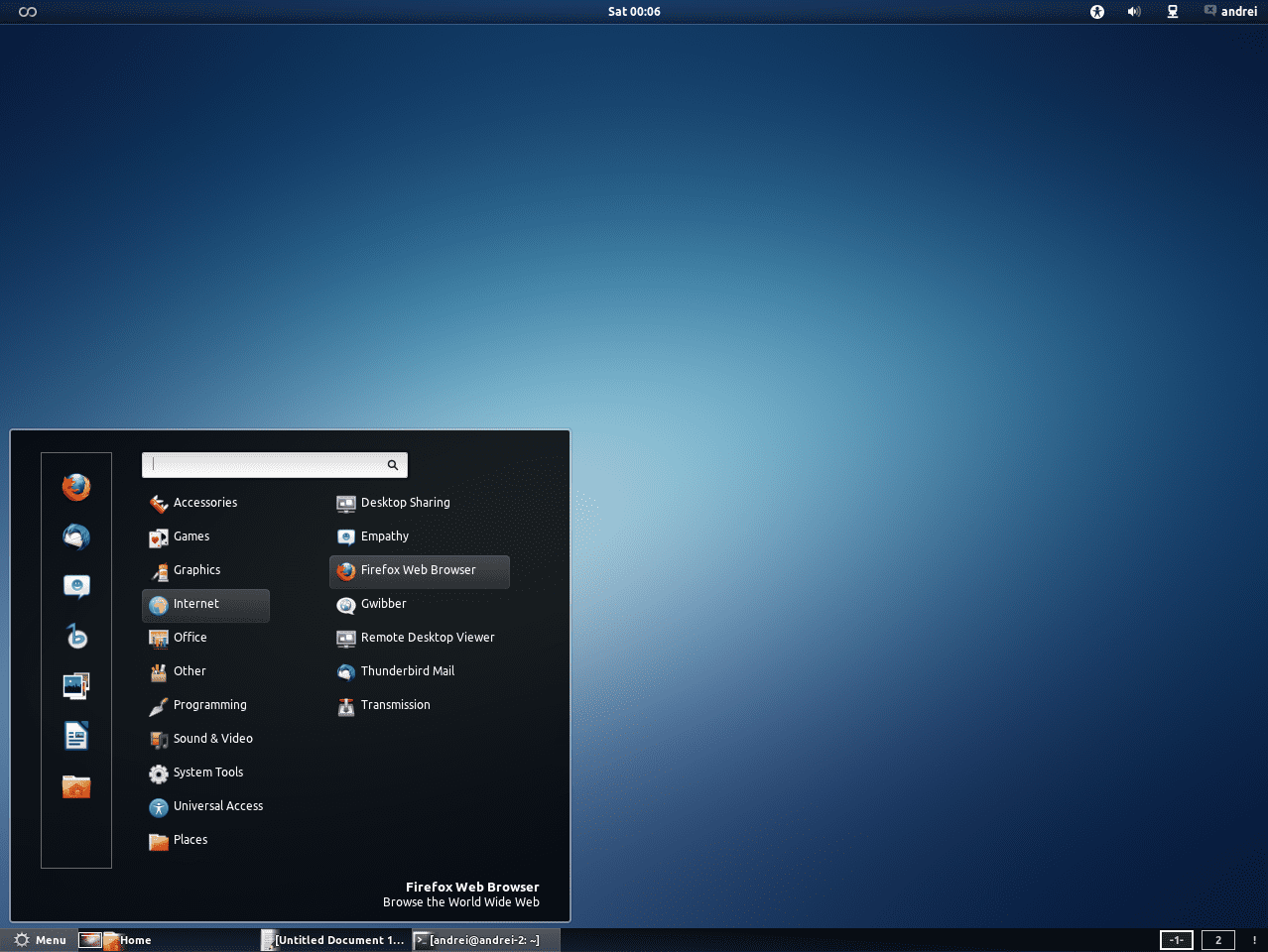
The extension can be officially downloaded from Github, But Andrew added it in his PPA for users of Ubuntu. The steps for installation are these:
sudo add-apt-repository ppa:webupd8team/gnome3

sudo apt-get update

sudo apt-get install mgse-bottompanel mgse-menu mgse-windowlist
Once installed, reload GNOME-Shell and activate the extensions using GNOME Tweak Tools.
Manual installation.
If we want to install the extensions manually, for example in a different distribution, we must obtain the file from Git, open the script "test" and delete if we want the extensions that we do not want to install. Finally, we run the script
./test
New topic.
Andrew also highlights that Linux Mint 12 will include a new theme for gnome-shell based zukitwo, which we can find here or we can get it from Deviantart. However, also through its PPA we can install Zukitwo:
$ sudo add-apt-repository ppa:webupd8team/themes

$ sudo apt-get update

$ sudo apt-get install zukitwo-theme-all
When I was using Fedora with Gnome-shell, I added some extensions (applications menu, places menu, bottom panel) due to the habit of using gnome 2 (and while I got used to interacting with the new shell). And the truth is that the results were quite satisfactory.
With MSGE it will surely be easier and highlights the success of the Gnome-shell extensions. In a short time, that will make that shell one of the most configurable.
Finally, at the time I told you that I was sure that Mint would not be able to keep gnome 2 for long, given the development of its ubuntera base (with gnome 3) and of the Gnome itself. Mint was betting on bringing unhappy users (hastily) closer to Unity and Gnome-shell, and MGSE tries to save that goal by realizing the difficulty of staying on Gnome 2. Even so, in LMDE we will see gnome 2 for a longer time.
Greetings.
I think the rejection of Gnome3 is very similar to what happened at the KDE4 release, human beings are generally reluctant to radical changes, I think it is a matter of time to get used to the changes.
Tell me that I am so comfortable with KDE now. Who was going to tell me? Hahahaha .. By the way Oscar, you keep dreaming hahaha
HAHAHAHAHA, I woke up, I'll tell you that I have Gnome in one partition and in another KDE, the latter with only this page open consumes me 482 Mb, otherwise your partner does not make your life miserable for switching to KDE or is it still consuming himself in his Arch, hehehehehe, I think the Debian spiral is marked on his forehead hahahahaha.
I'm still installing Arch + KDE, the problem is that our ISP (from elav and I) denies us to download things between 8AM and 6PM, so I'm hoping to download 70MBs that I need 🙁
When I'm done installing I'll make a guide on this HAHA
regards
Kdebase? Leave Kde complete, it will take much longer
Now this world has gone crazy, crazy! You using Ubuntu and elav KDE, we are facing total chaos, laugh or cry? ...
YYYEAAAHHH !!! I already installed Arch + KDE, I was trying to install for 3 days without success, then I will make a post explaining what happened, and another explaining how I solved it 😀
Anyway, I already have my beloved Arch installed, and I learned two or three new things 🙂
regards
Look what your mother told you: Install Debian Alejandrito, Debian ..
I think so, you learned how to load the system quickly.
Oscar, you keep dreaming ..
Cry or travel to Cuba to roll them a chicken from 15
KZKG ^ Gaara, congratulations, I hope you give up installing grub2, don't forget a tutorial to optimize KDE, elav said he would publish one today, I'm pending.
The one doing the tutorial is me 😉
I'm writing it 😀
You're telling me that you are the ventriloquist, hahahahaha.
I already posted it. I hope it helps you 😀