
내 RSS 읽기 VeryComputer 차례로 게시 형식을 사용하는 방법을 보여주는 José Jesús Pérez Aguinaga 데이터 URI HTML5의 힘과 '라는 새로운 요소와 함께내용'를 사용하면 메모장으로 사용할 수있는 HTML 페이지를 만들 수 있습니다.
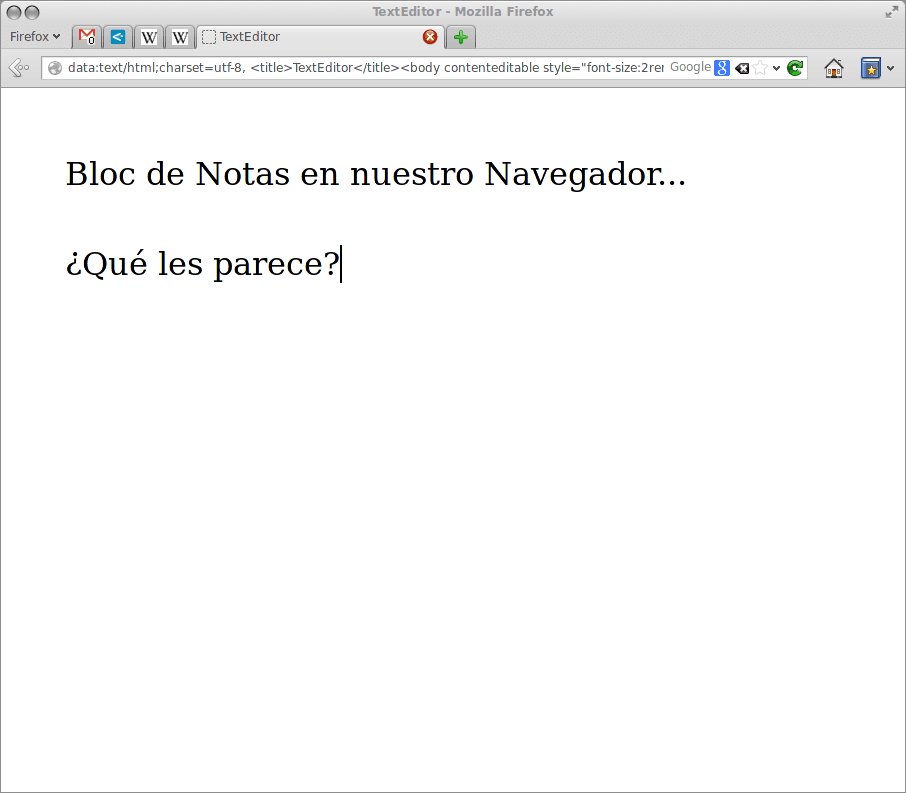
주소 표시 줄에 입력하면됩니다.
data:text/html, <html contenteditable>
의 게시 José Jesús Pérez Aguinaga에 의해, 살펴볼 가치가있는 몇 가지 다른 예가 주석을 통해 나타납니다.
data:text/html, <textarea style="font-size: 1.5em; width: 100%; height: 100%; border: none; outline: none" autofocus />data:text/html, <html><head><link href='http://fonts.googleapis.com/css?family=Open+Sans' rel='stylesheet' type='text/css'><style type="text/css"> html { font-family: "Open Sans" } * { -webkit-transition: all linear 1s; }</style><script>window.onload=function(){var e=false;var t=0;setInterval(function(){if(!e){t=Math.round(Math.max(0,t-Math.max(t/3,1)))}var n=(255-t*2).toString(16);document.body.style.backgroundColor="#ff"+n+""+n},1e3);var n=null;document.onkeydown=function(){t=Math.min(128,t+2);e=true;clearTimeout(n);n=setTimeout(function(){e=false},1500)}}</script></head><body contenteditable style="font-size:2rem;line-height:1.4;max-width:60rem;margin:0 auto;padding:4rem;">data:text/html, <body contenteditable style="font-size:2rem;line-height:1.4;max-width:60rem;margin:0 auto;padding:4rem;">data:text/html, <title>Text Editor</title><body contenteditable style="font-size:2rem;line-height:1.4;max-width:60rem;margin:0 auto;padding:4rem;">나는 그것을 시도했다 파이어 폭스 y Chromium 완벽하게 작동합니다 .. HTML5를 지원하는 다른 브라우저에서도 작동합니다 😀
html5의 hahaha 호기심 다른 편집기를 열지 않고 언젠가는 저에게 도움이 될 것 같습니다 ... 감사합니다
내가 보는 실제 용도는 html 코드가 어떻게 보이는지 보는 것입니다 (HTML로 무언가를 디자인하는 경우). 설명하겠습니다. 주소 표시 줄에 모든 html 옵션을 입력 한 다음 무엇이든 작성하면 html 표시 옵션이있는 편집기를 사용하거나 파일을 저장하지 않고도 "핫 미리보기"를 볼 수 있습니다. 브라우저로 엽니 다.
Opera에서도 작동합니다.
나는 브라우저에 통합 된 노트를 천 배 더 선호한다.
많은 관심을 끌지는 않지만 Konqueror에서는 작동합니다.
인사말.
음… 혁신의 예술 😉
글쎄 (그리고) ... 인사!
매우 흥미 롭습니다. 브라우저에 통합 된 모든 것은 나쁜 생각이 아닙니다. 분명히 이것은 HTML5에서 일어날 것입니다.
좋아, 나에게 좋았어, 구글 웹 스토어를 설치하지 않고도 그런 걸 찾고 있었어
vivaldi와 함께 작동하며 파일 탐색기도 작동합니다.
파일 : // localhost /