
阅读我的RSS我在 非常计算机 反过来导致 发表 由JoséJesúsPérezAguinaga撰写,他向我们展示了如何使用格式 数据URI 以及HTML5的强大功能和一个名为“内容可编辑”,使我们可以创建可用作记事本的HTML页面。
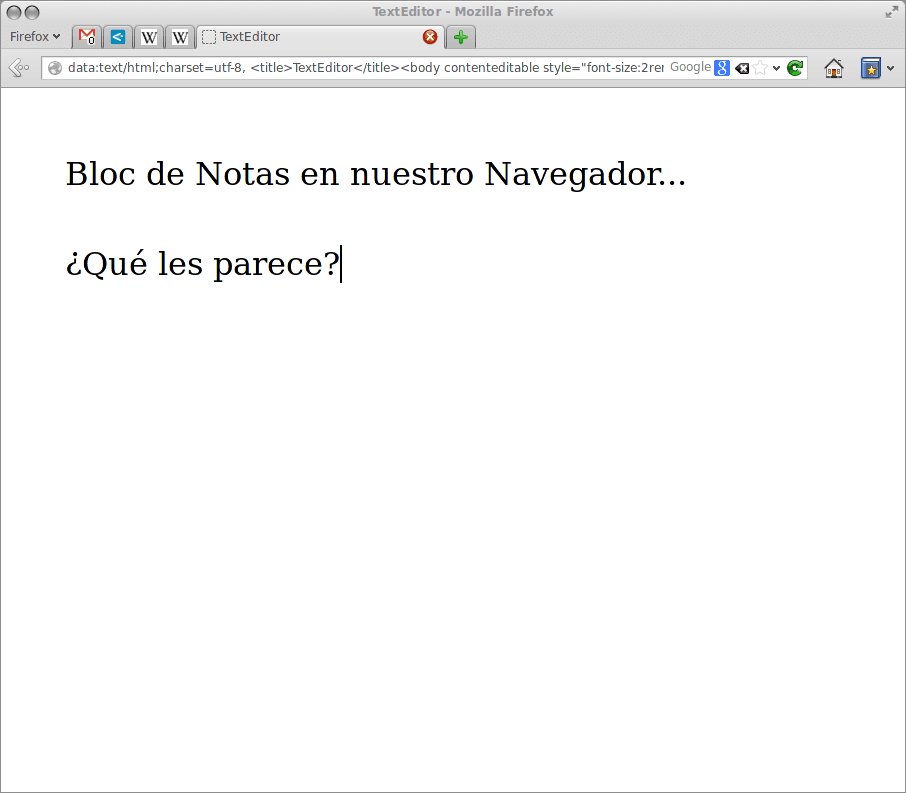
我们只需要在地址栏中输入:
data:text/html, <html contenteditable>
在 发表 由JoséJesúsPérezAguinaga撰写的其他一些值得关注的示例通过评论出现:
data:text/html, <textarea style="font-size: 1.5em; width: 100%; height: 100%; border: none; outline: none" autofocus />data:text/html, <html><head><link href='http://fonts.googleapis.com/css?family=Open+Sans' rel='stylesheet' type='text/css'><style type="text/css"> html { font-family: "Open Sans" } * { -webkit-transition: all linear 1s; }</style><script>window.onload=function(){var e=false;var t=0;setInterval(function(){if(!e){t=Math.round(Math.max(0,t-Math.max(t/3,1)))}var n=(255-t*2).toString(16);document.body.style.backgroundColor="#ff"+n+""+n},1e3);var n=null;document.onkeydown=function(){t=Math.min(128,t+2);e=true;clearTimeout(n);n=setTimeout(function(){e=false},1500)}}</script></head><body contenteditable style="font-size:2rem;line-height:1.4;max-width:60rem;margin:0 auto;padding:4rem;">data:text/html, <body contenteditable style="font-size:2rem;line-height:1.4;max-width:60rem;margin:0 auto;padding:4rem;">data:text/html, <title>Text Editor</title><body contenteditable style="font-size:2rem;line-height:1.4;max-width:60rem;margin:0 auto;padding:4rem;">我试穿了 火狐 y 铬 而且效果很好..我想它应该可以在任何其他支持HTML5的浏览器中使用😀
哈哈哈对html5的好奇心我想它会在某个时候为我服务而不是打开另一个编辑器...谢谢
伙计,我看到的真正用途是看html代码的外观(如果您在html中设计内容)。 让我解释一下:在地址栏中,您放置了所有html选项,然后编写了所有内容,因此您可以看到“热预览”,而不必使用带有html显示选项的编辑器或保存文件并通过浏览器打开它们。
也可以在Opera中使用
我更喜欢浏览器中集成的笔记的一千倍,这很常见
它可能对许多人不感兴趣,但是在Konqueror中它可以工作。
问候。
嗯……创新的艺术😉
好(和)……问候!
非常有趣的是,集成到浏览器中的所有内容都不是坏主意,显然,HTML5会实现这一点。
这个buinisiimooo,对我有好处,我在寻找类似的东西而不必安装google网上商店
它可以与vivaldi一起使用,文件浏览器也可以为您工作:
文件://本地主机/