
I never expected the day to come ……… but it did. My dad got fed up with the slowness (and various other problems) of his Windows 7 on his HP mini netbook, with its Intel Atom processor, its NVIDIA graphics card, its 2 gigs of RAM and its 160 gigs of disk. So after months of curiosity, on Sunday I dual-booted it with Manjaro XFCE.
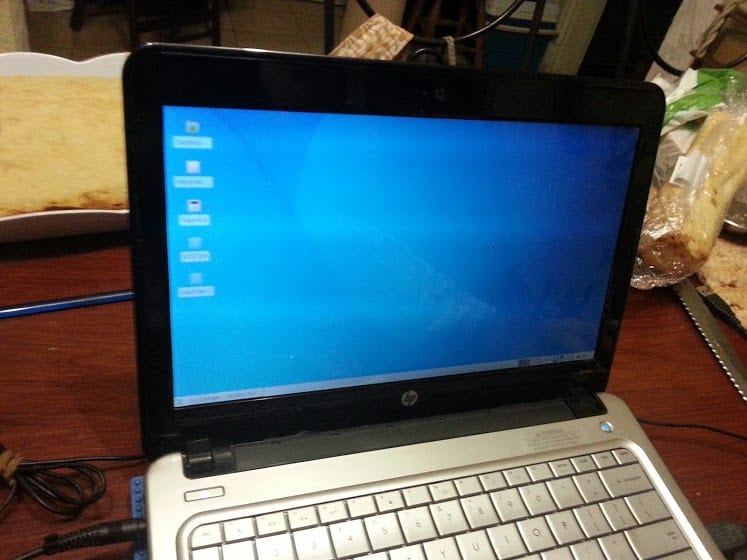
I'm going to start with some questions that you asked me in the previous days.
He asked me how fast - I told him that it is usually faster than Windows. I also chose a light environment to test it. He was shocked when (already with Manjaro installed and running on his machine) he tried to open a page in Firefox.
He asked me about the programs - I told him that most have either linux versions, or alternative programs that do more or less the same thing.
Then I showed him on my machine what it was like to use linux and I told him about the partitions, that both the operating system and the programs are stored in the root and that everything is ordered differently from windows (I told him rather that no there is a folder like Program Files). I had to explain to him that there is a root user and that through this (or rather his permissions) the programs were installed (I showed him graphically) in addition to fiddling with the root partition.
He asked me about extensions (I mean extensions like .exe, .doc, .xls, etc.) - That was difficult to explain… ..very difficult. I had to tell him that the concept of extension that Windows has is VERY different in Linux. For example, linux executables don't necessarily have an extension (I actually told you they don't, but it didn't occur to me at the time to mention .sh), a file that doesn't have an extension isn't necessarily executable (I opened a file from text to show you an example). One day I have to talk to him about the permits.
Then came the installation. To give you an idea of how slow Windows was on your machine, it took an hour to enter disk manager, select reduce volume, wait for it to pull out a figure of how much size it could reduce (about 43 gigs) and do The reduction. During the installation of Manjaro, I just asked him to enter a password that he can remember for his user, and in almost 30 minutes he had it installed.
After installation, you were able to easily create desktop and panel shortcuts, change appearance, plug in a USB disk, plug in your printer and print a test page (thanks CUPS), put the Libreoffice and Firefox in Spanish and other things that already have more to do with the programs themselves and not with the system. For now the only thing he's complaining about is the Faenza icons (he doesn't like them) and updates (I plan to update on Saturday nights).
Now with Manjaro you are planning the migration of your bookmarks and documents (very small size) and if something interesting comes up I'll tell you about it.
Excellent post.
I think that the migration of users accustomed to private environments is the biggest challenge for Free Software.
I would like to know the details of the problems that may arise in order to use this expertise with people who are beginning to migrate.
Manjaro is doing very well, I hope your father adapts and is not forced to use proprietary software as happens to many of us who study and require us to use such software.
Tell me if you can find a pharmacopoeia that works on linux and is up to date. If you find it, you will only cover a vache. Many more will remain. I know well what my dad wears.
I want to migrate to manjaro, but .. install the new version 0.8.8 XFCE and it has the same problem as the previous one. When you start Firefox, the machine freezes. So, when I restart, the first thing I do is take out Firefox and install another browser. I don't know, I've heard so much about arch and manjaro, but ... for the moment the Debian that doesn't bring me problems, to be more exact Ppoint Linux, is doing very well. I'll keep waiting for Manjaro. This problem is mentioned in the manjaro forums, but it seems that the team does not pay attention to this problem, in addition to still having problems when updating for the first time. 🙁
Achievement unlocked:
That your father go to GNU / Linux
Now I do three shitty hops in victory.
LOL!
Hahahahaha excellent comment!
Very good!!!!
Something similar happened to me, only it was my dad who introduced me to the world of Linux at about 14 years old, when computers were mega slow and I needed something "usable" on my pc.
Nobody believes me that this is the case, usually the "young" teaches the "old" this world xD
Hopefully your father falls in love with Linux and throws away Windows like everyone in my family. Only my parents maintain windows for work programs but they use linux for everything else (:
Do not bother me because Windows comes out there, this is not my pc xD I use Arch + xfce
We are 2 companions, the most horrible thing is that your father did not give you a Slackware CD and a Gentoo CD for your first installation of GNU / Linux uu ... I suffered a lot, but it was a good experience hahaha.
Greetings.
hahaha at that time my dad gave me a mandrake record, it wasn't so tragic
Wow! when I have children I will put them to install Linux From Scratch ... if they don't finish it there are no Christmas gifts muahahahaha!
I installed Ubuntu 13.04 with KDE for my father, and his experience was not very pleasant, he asked me about Microsoft Word and he did not like Libreoffice or Apache Openoffice, although he was happy with the speed.
Put Kingsoft on it and go
In English not?
Come on, it seems that this is already over the line.
What do you need to install Linux to a relative with zero knowledge for performance issues? Okay, but from there to wanting to instill and force anyone to be a computer scientist to use Linux is overstepping and unnecessary.
I do not think it is necessary that your father, if he is a person who needs little computer technical knowledge, should know about file permissions or other aspects.
Don't want to turn people who don't need it into computer scientists. If you must learn these concepts to use Linux, Linux is NOT for everyone and is not yet polished for the desktop and the simple day to day.
Obviously that is not the case, the only thing I find to be complicated is the installation of new applications that come from outside, for example Teamviewer downloads and this is for 32bits, so it requires you to install the 32bits architecture, if you do it graphically and not you have installed the 32-bit architecture then the famous gdebi hangs and stays there forever ... I find that to be a serious error ... otherwise everything is very easy, if you install package by package, but what happens if you install libreoffice ...
this one comes with many packages and takes too long to install if it is one by one… there should be a way to install more quickly…. something like him
dpkg -i ./*
Why don't you link Office Web Apps on the desktop? I work that way (you'll excuse me, but I don't like LibreOffice in the least)
Well something like that I achieved on the desktop pc that my sister uses is something old and Windows constantly crashed
I tried to start putting Puppy Linux on it but it was not to his liking (and I think neither of mine because for some reason his environment was not comfortable for me)
I tried with Lubuntu and everything worked fine (except the network card) I tried to compile the drivers that came on the cd but I never could
Then I tried with more versions of Puppy (with LXDE and Openbox) and despite everything he didn't like it either
Lastly I tried using Debian with Openbox (I was tired of trying and so was she)
And this finally he liked me and I too because of the fact that you love to build your system to your liking xD
Now you don't use Windows at all
I have everyone using Linux, mother, sister and girlfriend. And the only complaint is from my sister when the university requires a .doc format to submit work.
The thing about the extensions is simple to explain. Linux does not need a termination in the name of a file to know what it is, it is a matter of looking at the file itself to recognize it and know with which program to open it. It's like putting an apple and a pear in front of you. Linux looks at them and knows which is which, instead Windows needs a little sign next to them that says what they are, or it gets confused xD
very good analogy
my wife uses linux, she doesn't know much about computers, but she doesn't like Windows, and linux is faster for her: P. I installed crunchbang on his laptop and he is very happy 😛
In my case, I entered Linux through comments from a friend that in a PC repair and maintenance course I heard people say that Linux was better, and my curiosity forced me to inquire, today it has been 6 years without "Windows" on my PC, and my wife, uses Sabayon Linux, hates windows xq "it's very messy and slow" her first pc I gave it to her, with archlinux and over time I moved it to sabayon x stability, she uses gnome 3 and loves the speed and stability of her machine and I love not having to format every time you have a problem, one of the things I love about Linux is that everything has a solution with a couple of commands as root
My old man was easy because I never use a pc and from the outset I installed Fedora KDE and he learned quickly and was freaking out. With the one that cost me a little more, it was with my old woman that she bought a notebook and it came with Xp, I use it for a long time and got used to that, but after having to format the notebook every 20 days I told her that I installed Gnu / Linux and after several fights he was grabbing his hand, he has Kubuntu now and I just need him to learn how to download the photos from the camera that with Digikam is automatic, but I don't know why he doesn't grab that hand. And I am happy for not having to do Backup and format every 20 days hahaha.
In my house we all use Linux, I use arch, my brother uses Ubuntu and the Computer that my parents use has Lubuntu.
With my father it was easy. I never use a computer or similar until the arrival of FB, when an android was bought. I gave him my ex notebok with ubuntu, so far he has not complained about anything, nothing. Perhaps it does not have the vices that one acquires in windows and complicates the migration. As it is today, it would be complex to teach you Windows 8, its four corners and its two interfaces with separate options. This is a good chance for the penguin.
Great. It will take a bit of getting used to, but it's all customary, when you do it with Linux you won't let it go
Congratulations !!
A welcome to the GNU / Linux world for your dad.
Nice.
Keep telling us to see how it goes.
The same thing I installed my cousin in a little equal, did nothing but hallucinate by how fast everything was going ,,,
How fast Firefox !!!
How fast it turns off !!!
etc etc
regards
Good vibes, it was about time, lol, I have a small computer, with intel atom, it goes super slow, I wanted to install Lm, but I couldn't, :(, it brings w7 by default. I have a notbook, and that one has Lm and w7, it goes very well.
How well your dad cheered up, it's rare especially in an adult, :).
And in the end what did you put?
I have not put anything about the penguin, there I have it as it could be said that it is crouched, since I have another to use, so I do not pay much attention, but sometimes it makes me want to use it since it is smaller and more portable, but I remember that It goes slow and I better stop it from new, lol. These days I'll try to put something on it, I could put lubuntu, but I don't know if it works.
What dou you recommend.
512 ram
150 DD
Atom processor
or lubuntu or crunchbang
Archbang is also cool, and the last time I compared crunchbang with archbang, the latter consumed 12mb less in ram
Crunchbang had never heard of him, but I will look for it, anyway and I like it, thanks,
A lubuntu or an old xubuntu for example would be fine
I do not know, but old as I do not like the idea, something that is current, lol, it is too much to ask I think, but I will look. See what's left, I'll be without doing things, I have a good Linux isos.
Easypeas, I think that's how it's written, how is this distro going, they say it's for net / not book. I have never used it, I had to try, 🙂
Cruchbang test is based on debian and is very good
Or you can also use Archbang (It's Like Crunchbang but based on Arch) or Manjaro Openbox They are light and work very well
I recommend ARCH, I had my laptop stolen but my fav distro is arch because of how configurable it is, you can build a super robust OS or a very light one 🙂 all from scratch ..
put that slitaz pooch and see how he flies like a turbo snail
The same thing happened to my sister, booting into windows, only that was a torture of slowness.
At first I installed Ubuntu, but then it was Manjaro with xfce and look at you, fast as the first day 🙂
I'm happy for your parent 🙂 tomorrow he will surely give you a couple of classes on how to compile the kernel quickly and effectively xD
Excellent. Let's see if I encourage my mother to use Linux on the other Lentium 4 that I have thrown there (thank goodness she doesn't know anything about Windows).
Cheers!
Congratulations to both of you!
My little brother has been using Linux Mint for 2 years on the computer I built him, he's 15 now. Only once he asked me for Window $ and it was because he wanted to use VisualBoyAdvance ... easy solution I told him. He does all the school work in LibreOffice, he makes videos in OpenShot editing chapters of his favorite series, converts audio with SoundConverter, among other things. And what I value the most is that if you don't know how to do something, you ask me instead of missing an answer or going to the Windows machine.
I wish your old man a good linux experience, greetings!
My father uses Puppylinux Slacko today. He didn't know anything about computers. It handles it without problems to navigate, read news, pdf. His favorite game is gnome-sudoku XD
My old woman never used a machine .. despite the fact that since 85 we had a computer at home (a beautiful TK85 that we connected to the black and white television)
A few years ago (2010 if I remember correctly), we had a disused notebook at home that bothered where you put it .. one good day .. my mother said to me: «Are you going to throw that computer away? Or could you put it together to learn? »
That same day I began to test what operating system would be easy to use for a 70-year-old who had never used a computer.
I ended up opting for a Linux Mint (I don't remember which version) but with a celeron 430 and its 512 ram it was doing acceptably well.
The day I gave it to him for various reasons, I did not go home for lunch .. when I went home at 16 pm .. I find it .. watching on YouTube a chapter of a novel that I had not seen .. with headphones .. connected via wifi .. using linux .. on an archaic machine ... and laughing ..
That day I said ... Linux .. you came a loooong way.
From that day on, 6am she would get up .. 6:30 am she was sitting at the computer reading the national, provincial, local newspapers, reading the weather forecast, she looked at 4 or 5 random articles on Wikipedia .. and then she just started Your day.
Until the day he died I use that computer ... and I adopted it for myself and I still have it running as a feed reader and to listen to music online.
Confirmed. So far the best story.
Lay down; try not to cry; cries
Damn ninjas chopping onions behind me.
I have not been able to get my dad to switch to Linux.
Use iTunes a lot and much more with the new version.
I've shown him other players like Amarok and Clementine, but he doesn't like them, iTunes is still his favorite. So it is difficult to make it change, and more difficult because you have an iPod Touch, then there you are forced to use iTunes. Although there are some programs to synchronize iPod in Linux, they hardly work anymore because with the new iOS updates, Apple tries to block that, and if it could, many times the music database is corrupted.
Welcome be your dad to this wonderful world!
I have a relative who ...
You don't realize you are using linux xDDD (KDE4 + Wine)
Excellent, the problem when you invite someone to use Linux, is like changing their mind or habit, they are so used to using Windows either for work or school that it is difficult for them to switch to Linux.
It's good that your dad is using Linux- I have dual boot Windows and Linux for work reasons lol there is no other.
Hey luck, try Manjaro to see how it goes, it looks light and it's out of the box.
Greetings.
Some time ago my antibua netbook hp mini 110 .. had fedora 18 with kde and xfce
I lent it to my father for a while and when I picked it up, I asked him if he hadn't thought it was something strange ... he said no ... that it was going well and that he liked it ...
: =) !!
My father was somewhat the opposite since he needs to get home to work and do everything quickly, he could not bear the change from win2 to gnu / linux and that using LM with him, I taught him many things, but he felt silly I told him that With time he would get used to it, he told me yes but that he does not have the time to do it for business reasons and it is understandable. Really, when they need to do things quickly and they don't have time to learn, you can't force a change and, well, he loved the speed, the security, but he was lost in a matter of many things he needed.
Really? Does a businessman who needs to get things done fast choose the slowest and most expensive OS? It seems like a CONTRADICTION.
Or as we read that you write from Metro MS WOS 8 a FABULATION or Trolleo.
Anyone who puts a GNU / Linux with the programs they need in a dock like plank or cairo you make happy, for that reason, among other things of ease and happiness, chromebooks - with CROUTON - are having so much success
Some guru knows if there is any problem or problem in installing slackware together with whezee on a pc with efi (because of the lilo and group). I want to chat with kde but without disturbing my nice and cool debian.
Do not install LILO - you would load the grub - and update the grub from the previous OS so that it detects and starts the slackware
Ok, I don't put an efi partition either?
Well I'm busy because I already have an efi partition (and ETA put a mini partition like one mega), I also put root and home for whezze, and finally the swap. I left 50 GB to put slackware but I have no idea of how to partition those 50GB, I leave it as root and home without efi and I don't put the lilo? Or this space goes on its own and I put it full (mounting the other swap already made).
I recommend you put octopi, the colorful kite is cuter.
another thing you might like is to put kwin for window manager, dekorator - in AUR -, an XP or Seven theme - there are XP and 7 icons out there and the kwin cube.
You should teach him to discover and install packages from repos and from AUR, what a pity that Manjaro - my distro too - does not have the one-click installation like Suse or Ubuntu so that he freaks out even more.
for now she is satisfied with the look she has, only the icons would be missing.
On the other hand, pamac included a filter to include the search results for packages in AUR.
Your story is very interesting, on the other hand, 3 or 4 years ago I replaced my laptop and that machine I gave to my mother, she had never used a computer, however, I installed Lubuntu 9, I taught her to use Chromium, which I later changed to Firefox and OpenOffice (instead of Abiword) that I later changed to LibreOffice, it took me an hour exaggerating to explain everything, in a week she asked me to remind her how to perform a certain action and now I only see her very happy watching videos of crafts, sometimes I she asks for help to print things that are downloaded from the web but otherwise I am very happy that she never had to use Windows. 😀
Today, Manjaro is the best choice….
Happy manjaro, happy family….
What a joy to know that there are more fathers or mothers who use Linux, from my personal experience it is like this:
Mama: Linux Mint - XFCE
Sister: Linux Mint - XFCE
Sister: Xubuntu
15 year old nephew: Xubuntu
7 Year Old Nephew: Linux Mint - XFCE
Me: Archlinux - XFCE
all compliant and running the programs they need, now I'm jumping on one foot because a two months ago I was able to remove the dual boot from my notebook since we finally have software that can open autocad files, the program is called DraftSight, that it's guys let's keep including our family members that linux is not just for nasa engineers !! greetings Ariki
grindstone
it is already a lot to do that it has gone to linux xD
My dad, my mom, my sister and my girlfriend use GNU / linux, in some cases they have had to use windows, but believe me when I guide you on the right path and highlight the advantages of using free and open source software using a closed system everything makes them more comfortable. Do not lie about office automation almost always run into problems but for example in the case of my mother who is the one who uses Microsoft Office the most, she does it at work and she only comes home to use firefox, watch movies and listen to music. And as my dad says goodbye to defragmentation, endless antivirus analysis and fear of using external USB's XD.
Recently I was also able to make my father migrate (dual-boot but something is something xD) from windows to Mint and from there to OpenSUSE (whims of him), the fact is that now he is happy with linux on his laptop and without the infamous Windows 8 do your thing with Secure Boot xD
I put my father debian wheezy with xfce to a pentium 3, as he complains about everything well….
But it is what it is, but he likes it to hold on
It's normal, my old machine has an amd athlon +2700 processor that will be similar to yours I think and 256 of RAM. I have it with Debian and LXDE
copado .. the chronicle is appreciated even if it is short.
To my mother I installed Lubuntu on her Netbook with 1GB of RAM and Atom, because Win7 with Antivirus and others almost dragged. So far no complaints ... The hard drive and all the hardware I think they appreciated it, hehe.
Great. I managed to move my whole family to Linux and especially the little ones fully adapted. They use Steam games and have all their needs covered.
Congratulations 🙂
Congratulations ! stories like this brighten the afternoon ...
PS: show him themes and let him choose his icons
Well, I keep trying to get my dad to use ubuntu, and there is no case, that his facebook «hangs», it's not my fault if he sees only things that make the pc hang xD
I use MacBook but have always used Linux. My father has a small notebook of these that came with Windows XP. He complained about its slowness. I put Ubuntu 12.04LTS on it with Unity. And the guy says he doesn't want to hear about Windows anymore. It is also true that he uses the computer to surf the internet and download a movie
Lest you miss Windows, the most familiar interface to you is KDE.
You could show him Kubuntu in Live mode and see how he feels about it, with the icons, etc.
A «jovatín» of half a century tells you 😉
I don't know how old your father will be, but I reckon that way.
If you don't want to get too complicated, I recently put together a Spanishized compilation, with codecs and etc., based on Kubuntu using the UCK tool.
I put it together with Graphic Design in mind, that's why I named it Kubuntu DiGra:
http://cofreedb.blogspot.com/2013/10/k-l-ubuntu-digra.html
I put XFCE on him and he's still cunt. And yes, my dad is half a century old.