

|
In the mood for test the newly released nightly build of Firefox OS, the mobile operating system that promises to fight Android? The instructions are very simple. |
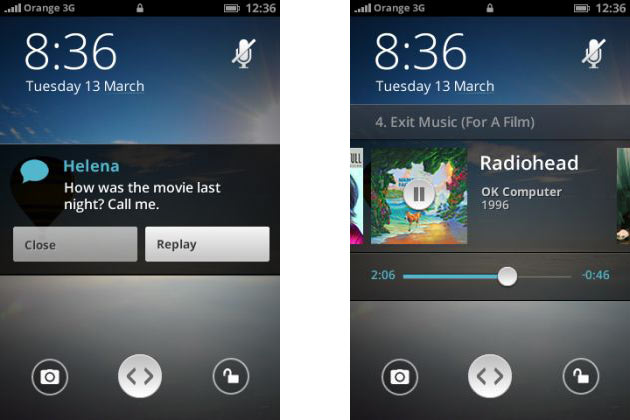
Steps to follow
1.- Download Firefox OS 17 Nightly Build for Linux, and unzip its content.
2.- In case you don't have git installed, install it. In Ubuntu and derivatives it would be like this:
sudo apt-get install git
3.- Install Gaia to be able to run Firefox OS as an application.
git clone git: //github.com/mozilla-b2g/gaia
4.- Create a Gaia profile:
make -C gaia profile
Write down the path where the profile has been created, because it is necessary to take the next step.
5.- Go to the folder that was created when you unzipped the file from the first step, and run Firefox OS.
./b2g --profile ./gaia/profile
Don't forget to put the appropriate path to the profile generated in step 4.
Source: You gespadas & dknite
GREAT!!!!!!!!
I want this OS in my future cell, only Mozilla can be trusted today ...
GREAT!!!!!!!!
I want this OS in my future cell, only Mozilla can be trusted today ...
OK I have the solution, the article was not copied correctly so a part is missing
Before doing all that, we were supposed to download the system from here
http://ftp.mozilla.org/pub/mozilla.org/b2g/nightly/latest-mozilla-central/
when unzipped, the b2g folder is generated
They missed the first step! download the system from the mozilla page!
Same problem, last command doesn't work b2g doesn't exist ._.
Assuming you ran all the commands from your home folder, run:
cd b2g
./b2g –profile ~ / gaia / profile
and with that mozilla os will start
after running the git clone….
run the following command without doing anything else:
make -C gaia profile
that command will do everything automatically
Hi, could anyone use it on a 64 bit system without installing ia32-libs? I don't want to install 100 megabytes of libraries ...
MeeGo died anyway my next Smart is going to be the Nokia N9 I'm asking Santa Claus = P
It seems very interesting to me that everything is in JS
Well said!
Speaking of OS, based on linux, what do you think of https://www.meego.com (union between Maemo and Moblin) http://es.wikipedia.org/wiki/MeeGo Apparently Nokia is betting on its "new" debian-based OS on its latest devices like the Nokia N9. Will it be the end of Symbian?
For my part I comment, that I already download the SDK to create applications for meego =)
Regards!!!
Aaay how it shows that it is not an Ubuntu Mobile lol, if it were that right now you would have put it through the air baby
As who says you have to die with your boots on, and if Firefox were to die, let it do so big. On the other hand, it is very difficult for Mozilla to die with the number of projects it represents, and if Firefox lowers the market share it will not die, for example Opera has a 5% share and there it is alive and well, in the worst of times. In some cases the community would possibly fork the code and continue living, for example as Mandriva continues to live in Mageia. So unfounded comments and bad luck to hell are good for nothing else.
If Gaara already tells me by chat.
Seriously, you guys can't be so soft, you have to face this that I imagine you would know would happen.
You have to have strength
heheeee thank you very much Daniel I am already executing it. 🙂
See, you have male fans !!
I had told you the other time that they miss you because of the blog .. hehe ..
Greetings ..
Haha… Diego, point 1 says: «1.- Download Firefox OS 17 Nightly Build for Linux, and unzip its content.».
You missed reading well.
Hug! Paul.
Let them stop bothering with this… I'm already late. Mozilla tries to make FF good as before. The only thing you are going to achieve is to melt!
They stopped developing Thunderbird for this crap !!! Please seem led by Ballmer !!!!!!!!!
For those who gave the error when executing b2g: IF YOU USE A DISTRO OF 64 BITS, you will need ia32-libs in debian distros or equivalent in other distros.
They have little strength there. You have to face things.
I'm alive but I can't go back there, they treat me badly and in a certain way I was expelled.
I'm also stuck on the last step:
sudo: b2g: command not found
hehe I'm a newbie but I want to try, what I need to know is how Gaia's profile is created in step 4. I appreciate if someone helps me. Regards.
hey crazy are you alive? in desde linux There are many who miss you (if your comments have fans). Well I'm glad to know you're okay! greetings
I need help! I already have everything installed, I just have a question with step 5 How do I run it? >
The truth is that if!!!!
I capture subliminal messages knowing that you read or were reading Desde Linux...
Hahahaha
Good to try it!
LOL! Good Courage
Well, very good initiative. Well, I hate talking to people and so on, so I don't need a mobile phone, but the truth is that I didn't like Android on netbooks.
Really the alternatives that there are of mobiles do not suit me much, so it is a very good initiative by Mozilla so that there is more variety
Eager to erase Android at once and install it on the phone.