

Customize GNU / Linux with Grub Customizer
Many GNU / Linux users have the challenge egpersonal Apart from using it for the specific purpose for which they choose it as the Operating System, being able to customize your Distro as much as possible to show how versatile and powerful said Free Operating System can be in front of the private ones.
Each Distro has its own specific applications and tricks to customize in the most efficient and effective way but there are many that are common and are found within the repositories of each of them. In this publication we will try to mention and explain the best known and most common for all Distros, in order to support Free Software users and the GNU / Linux World to achieve their goals of customization and optimization of their respective Distros.
Customize GNU / Linux
Among the Personalization Applications we find:
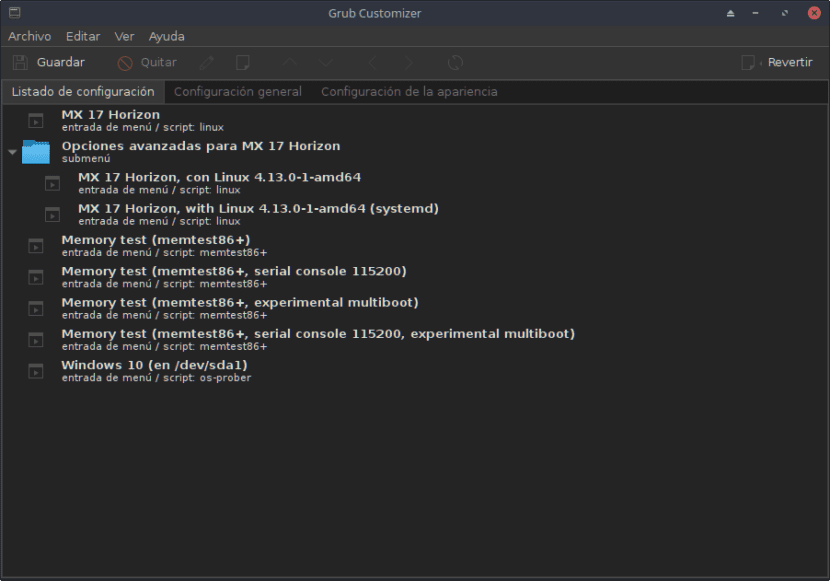
Grub Customizer
Es a graphical interface that allows us to manage the boot menus of the GRUB2 / BURG System of the GNU / Linux Operating Systems. Created by Daniel Richter currently going for the version 5.0.8 and it is housed within the en Launchpad. This application allows us, among other things:
- MOVER, delete or rename boot records from GRUB menu,
- Edit menu contents or create new boot records,
- Run the Boot Manager reinstallation on the Master Boot Record (MBR),
- Configure the default Operating System to run at startup,
- Manage certain kernel parameters,
- Edit the GRUB background image and boot menu text colors.
Equivalent or similar programs: startupmanager, KGRUBEditor y SuperBootManager.
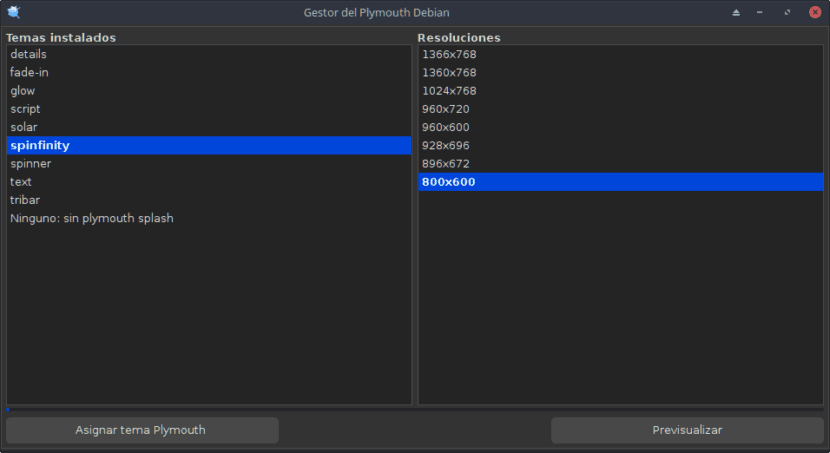
Plymouth / DEBIAN Plymouth Manager
Plymouth is another program for the Management of the startup of the Operating System focused on providing a graphical mode at the start of the Operating System, that is, allowing the display of an animation or static, instead of the text mode (display of initialization messages) that is displays when the computer starts.
In some systems like Ubuntu or Mint it is installed by default, and in others not, like DEBIAN. Plymouth is a terminal program and DEBIAN Plymouth Manager is a Graphical Interface for Plymouth native to Distro MX-Linux 17.
This application allows us, among other things:
- Install / Delete Themes
- List Topics
- Change the current Splash theme.
It can be used via console (Plymouth) and / or via graphical environment (DEBIAN Plymouth Manager) to perform the aforementioned actions.
Equivalent or similar programs: PlymouthManager
Login Managers
The Display Managers (Display Manager / DM) also known as login managers, are applications with graphical interfaces that show the end of the boot process of a GNU / Linux Operating System, instead of its default shell, and mainly allow the entry of a User to the System.
Currently the ecosystem of Distros GNU / Linux has good and wide alternatives for Screen Managers. Since their diversity is as wide as that of window managers and desktop environments.
These managers they usually provide a certain degree of customization and theme availability and most are configured or optimized via terminal or console modifying their configuration files.
Among the main, most used and known are:
- GDM
- KDM
- LightDM
- ssdm
- LXDM
- MDM
- Slim
- xdm
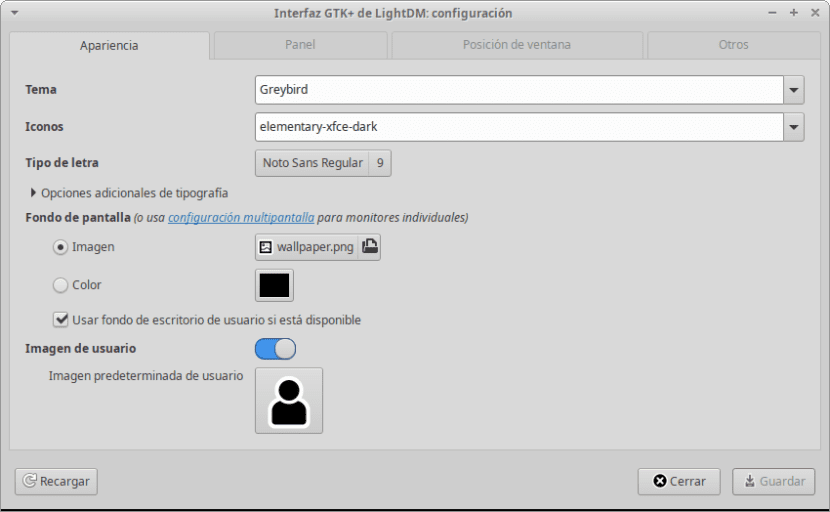
Some of them have, like LightDM, graphic applications that allow their manipulation. For LightDM there is "LightDM / lightdm-gtk-greeter-settings GTK + interface" It has 4 work sections that facilitate the customization of the Welcome screen and its elements such as:
- Appearance: Theme, Icon, Font, Wallpaper and User Image.
- Panel: Wigdets of Time, Date, Language, and the Accessibility, Session and Power Menus.
- Window Position: To position the window where the user registers and logs in.
- Others: Allows you to configure the default Accessibility applications of the Screen Manager and the Screen Power conservation parameters.
Others such as KDM or SDDM through the General Settings panel of the Desktop Environment are configurable.
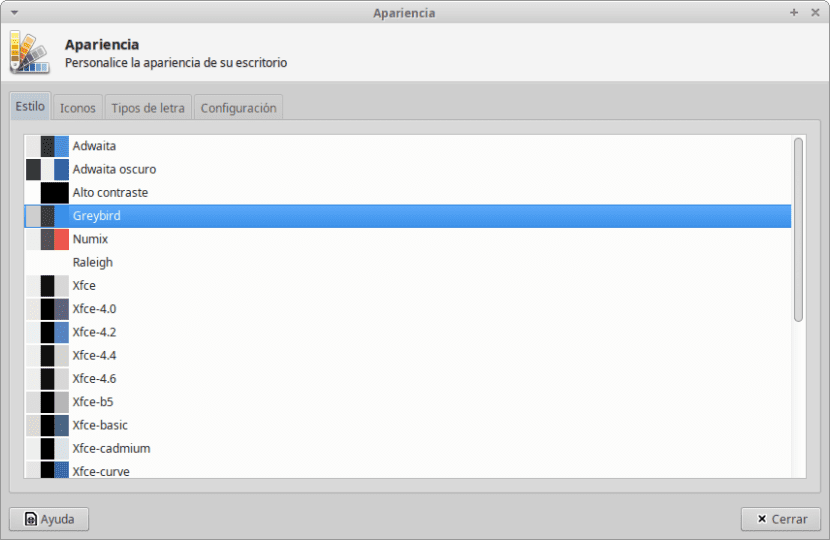
Operating System Appearance Settings Window
Managers Window
Window Managers are those applications whose function is to show the graphical windows of the applications installed in the Operating System to the user, so that he can interact easily.
Therefore, every graphical Operating System comes with a Window Manager which is usually associated with the Desktop Environment (GNOME, KDE, Plasma, XFCE, LXDE, among others) in order to create the graphic effects and the Windows of the System.
Among the most used and well-known Window Managers are:
- metacity (gnomes)
- Mother (gnomes)
- Kwin (WHERE)
- XFWM (XFCE)
- Enlightenment (Enlightenment)
- Blackbox (KDE/Gnome)
And among the less known and used are:
- IceWM
- UltimateWM
- FluxBox
- jwm
- OpenBox
- VWF
- VTWM
- AfterStep
- WindowMaker
- MatchBox
- WindowLab
- Ion
- DWM
- WMII
- Ratpoison
- Haze
Each one has its own configuration tools that will allow the chosen Desktop Environment to be seen in a unique and personal way, so that each user can have a personalized Distro to the maximum!

Window Manager Settings
Finally, to customize our GNU / Linux Distro we can make use of the Conkys through Conky Manager or some dock, choosing between Docky, AWN, Cairo Dock or others of your preference.
With this we could customize and optimize our GNU / Linux Operating System.